Category: Cleanup

  • How to Choose a QuickBooks Online Bookkeeping Service: ProAdvisor Badges, Cleanup Skill, and What Actually Matters

    How to Choose a QuickBooks Online Bookkeeping Service: ProAdvisor Badges, Cleanup Skill, and What Actually Matters

    The short answer: Choose a QuickBooks Online bookkeeping service by testing how it works, not by the badges on its website. Ask 5 questions: how it reconciles, the business day it closes, whether it diagnoses your file before quoting, who owns the file, and which integrations it has run. In the worked example below, the cheapest of three proposals scores 2.20 out of 5, while one costing $500 a month more scores 4.65.

    • A QuickBooks ProAdvisor badge confirms software training. It says nothing about reconciliation discipline or close speed.
    • A provider that quotes before it opens your file is pricing a ledger it has not read.
    • Keep the QuickBooks Online subscription in the company’s name; IRS guidance generally calls for keeping records 3 to 7 years.
    • Weight the scorecard toward reconciliation and close timing, then compare price last.

    Last updated October 2026.

    Most founders choose a bookkeeper the way they choose software: compare features, check the price, and look for a familiar logo. That method fails here. Two providers can list identical services and still deliver books that differ by weeks of accuracy.

    The useful comparison is operational. This guide sets out what to ask, what a credible answer sounds like, and how to score three real-shaped proposals. One weighted scorecard runs the arithmetic end to end.

    Laptop on a wooden desk in front of a bookshelf, representing a founder comparing QuickBooks Online bookkeeping service proposals
    Photo by Pixel.la Free Stock Photos, Wikimedia Commons, CC0.

    What should you look for in a QuickBooks Online bookkeeping service?

    Look for evidence of process: monthly reconciliations tied to statements, a committed close date, and a diagnostic before any quote. Marketing claims and badges come second.

    Five criteria separate providers in practice. The table lists each one, the question that tests it, and the answer that should end the conversation early.

    CriterionQuestion to askCredible answerRed flag
    Reconciliation disciplineWhich accounts do you reconcile each month, and to what?Every bank, card, and loan account, tied to the statement ending balance“We categorize the bank feed”
    Close timelineOn which business day do we receive financials?A specific day, in writing, such as business day 5 or 10“As soon as possible”
    Cleanup diagnosticWill you review our file before quoting?Yes, with a written count of unreconciled monthsA flat price after one call
    File ownershipWhose QuickBooks subscription holds our books?Yours, with the provider added as an accountant user“We migrate you into our account”
    Integration experienceWhich of our tools have you run before?Named examples covering Bill.com, payroll, and payment processors“QuickBooks connects to everything”

    Does a QuickBooks ProAdvisor badge actually matter?

    A ProAdvisor badge matters as a floor, not as a decision. It shows that an individual completed Intuit’s QuickBooks training and certification, which is a software credential issued by the vendor.

    It is not a professional license. A state board of accountancy licenses CPAs; no board licenses bookkeepers or reviews a ProAdvisor’s work. The badge also attaches to a person, so a firm may display it while a different staff member keeps your books.

    Ask who will touch the file each month and who reviews that work. A credential on the website is worth little if the reviewer is unnamed. The difference between a bookkeeper and a licensed accountant is set out in our comparison of a CPA vs. bookkeeper for a startup.

    How do you test a provider’s cleanup skill before hiring?

    Give the provider read-only accountant access and ask for a written diagnostic before any price. A capable firm returns counts, not adjectives.

    A useful diagnostic names four figures: the last month every account tied to a statement, the number of unreconciled months, the balance sitting in Uncategorized or suspense accounts, and the count of transactions no bank rule has coded. A file 9 months behind with 1,400 uncoded transactions is a different engagement from one 2 months behind with 120.

    The warning signs that a QuickBooks file needs cleanup are the same items the diagnostic should count. A provider that cannot produce those numbers in writing will struggle to explain its own work later. Our guide to what a QuickBooks cleanup service delivers covers the engagement that follows.

    Should cleanup come before ongoing bookkeeping?

    Yes. Monthly bookkeeping layered on an unreconciled file carries the old errors into every new month, so cleanup should be scoped and finished first.

    Ask the provider to quote the two pieces separately: a fixed-scope cleanup and a recurring monthly fee. Bundled pricing hides whether the cleanup was actually measured. Separate quotes also make the handoff visible, because the first clean month becomes the baseline for every later close.

    Agree on the proof of completion in advance. A reasonable standard is every account reconciled through the cutoff month, suspense at $0.00, and a schedule of dated adjusting entries. The monthly bookkeeping routine after cleanup shows what the recurring work should look like once that baseline exists.

    Will the provider work in your QuickBooks Online file or move you to theirs?

    A sound provider works inside a QuickBooks Online subscription the company owns. The company pays for the subscription, holds the primary admin seat, and adds the provider as an accountant user.

    Ownership matters because the records outlive the engagement. The IRS guidance on how long to keep records states that you should “Keep employment tax records for at least 4 years after the date that the tax becomes due or is paid, whichever is later.” General records run 3 years, 6 years if more than 25% of gross income went unreported, and 7 years for a bad debt deduction.

    A file held in the provider’s own account turns a routine switch into a negotiation over data. The IRS also notes that “You may choose any recordkeeping system suited to your business that clearly shows your income and expenses.” The system choice is yours, and so should be the subscription. Access controls are covered in our guide to outsourcing data security and SOC 2.

    How do you compare QuickBooks bookkeeping proposals? A worked example

    Score each proposal against weighted criteria, then compare the weighted total with the price. The example below is illustrative, but the arithmetic is exact.

    Consider a seed-stage company comparing three proposals. Weights reflect what breaks books most often: reconciliation 30%, close timeline 25%, cleanup diagnostic 20%, file ownership 15%, and integrations 10%. Each criterion is scored from 1 to 5.

    Criterion (weight)Provider A, $650/moProvider B, $1,150/moProvider C, $900/mo
    Reconciliation (30%)254
    Close timeline (25%)2 (day 25)4 (day 10)3 (day 15)
    Cleanup diagnostic (20%)153
    File ownership (15%)452
    Integrations (10%)345
    Weighted score2.204.653.35

    Provider B’s total runs 1.50 + 1.00 + 1.00 + 0.75 + 0.40 = 4.65. Provider A’s runs 0.60 + 0.50 + 0.20 + 0.60 + 0.30 = 2.20. B costs $500 a month more, or $6,000 a year.

    Now test the saving. Provider A quoted without a diagnostic. Suppose its first quarter uncovers 6 unreconciled months, billed separately at an illustrative 40 hours and $85 an hour. That is $3,400, or 57% of the $6,000 annual saving, before any late close has cost a decision.

    Does the provider need experience with your integrations?

    Yes, for every tool that posts transactions into QuickBooks Online. Integrations are where duplicate entries and unreconciled clearing accounts usually start.

    Bill.com, a payroll platform, and a payment processor each post activity on their own schedule. Payroll can record gross wages, taxes, and the net bank draft as separate lines. A processor deposits net of fees, so gross sales and fees need splitting. Ask how the provider reconciles each clearing account to zero every month.

    Founders who outgrow the basics usually add accrual entries and a faster close. Under the Continuous Close Method™, bank and card reconciliations run as transactions post, which shortens the month-end crunch. Aaron Ressel reviews each new client’s integration map before the first close. The full scope appears in our outsourced startup bookkeeping service, and pricing drivers are covered in QuickBooks cleanup cost, DIY vs. pro.

    Sources: IRS, How long should I keep records?; IRS, Recordkeeping.

    Frequently asked questions

    What is a QuickBooks ProAdvisor, and does the badge actually matter?

    A ProAdvisor is an individual who completed Intuit’s QuickBooks training and certification. The badge is a software credential issued by the vendor, not a professional license. It is a reasonable floor, but it says nothing about reconciliation discipline, close timing, or who reviews the work each month.

    How do I judge a QuickBooks bookkeeping service before hiring?

    Ask five questions: which accounts are reconciled monthly, on which business day financials arrive, whether the provider diagnoses the file before quoting, whose subscription holds the books, and which of your integrations it has run. Score each answer from 1 to 5, weight reconciliation and close timing highest, and compare price last.

    Should the service include a QuickBooks cleanup before ongoing work starts?

    Yes. Monthly bookkeeping on an unreconciled file carries old errors into every new month. Ask for a fixed-scope cleanup quoted separately from the monthly fee, with completion defined in advance: every account reconciled through the cutoff month, suspense at $0.00, and a schedule of dated adjusting entries.

    Will the provider work in my QBO file or move me to theirs?

    A sound provider works inside a QuickBooks Online subscription the company owns, with the provider added as an accountant user. IRS guidance generally calls for keeping records 3 to 7 years, and employment tax records at least 4 years, so the company should control the file after any engagement ends.

    Does the provider need experience with my integrations?

    Yes, for every tool that posts into QuickBooks Online. Bill.com, payroll platforms, and payment processors each create clearing accounts and timing differences. Ask how the provider splits processor fees from gross sales and how it reconciles each clearing account to zero every month.


  • Year-End Close and Cleanup in QuickBooks Online: Making Your File Tax-Filing Ready, Step by Step

    Year-End Close and Cleanup in QuickBooks Online: Making Your File Tax-Filing Ready, Step by Step

    The short answer: A year-end close in QuickBooks Online runs in seven steps. Reconcile every account through December 31, clear suspense balances, age receivables and payables, and book the adjusting entries. Then tie equity to the prior-year return, review 1099 vendors, and lock the period before the CPA package ships. Start in November. The first deadline lands on February 1, 2027.

    • For payments made in 2026, Form 1099-NEC applies at $2,000 or more per contractor, up from the $600 floor used since 1954.
    • Opening retained earnings in the books should equal the ending figure on last year’s return; any gap is an unbooked CPA adjustment.
    • The $2,500 de minimis safe harbor only works if the books expense those items the same way the return does.
    • A file that starts cleanup in November reaches the CPA in January, roughly six weeks ahead of the March 15, 2027 S corporation deadline.

    Last updated October 2026.

    Most year-end scrambles trace back to one decision: treating December 31 as the start of the work. By then, the 1099 deadline is five weeks out and the CPA’s queue is filling.

    This guide sets out the sequence that turns a working file into a tax-filing-ready one. It covers what to reconcile, which adjusting entries go missing, and how to prove equity ties to last year’s return. The 2026 change to the 1099 threshold gets its own section, because it alters the vendor review for every calendar-year business.

    Person holding a January calendar on a clipboard, representing the year-end close in QuickBooks Online and the tax filing calendar
    Photo via Unsplash, Wikimedia Commons, CC0.

    How do you do a year-end close in QuickBooks Online?

    A year-end close in QuickBooks Online is a final month-end close plus four annual tasks: adjusting entries, an equity tie-out, a 1099 review, and a locked period. The order matters, because each step depends on balances the previous one confirmed.

    1. Reconcile every balance sheet account through December 31: bank, credit cards, loans, payroll liabilities, and merchant clearing accounts.
    2. Clear the suspense accounts. Uncategorized income, uncategorized expense, and Ask My Accountant should all read zero.
    3. Age receivables and payables. Write off what will never be collected or paid, with documented support.
    4. Book the adjusting entries: depreciation, accruals, prepaid amortization, and deferred revenue.
    5. Tie opening equity to the ending balance sheet on the prior-year return.
    6. Review 1099 vendors against W-9s on file and the 2026 threshold.
    7. Set the closing date and deliver the package to the CPA.

    Steps 1 through 3 repeat a normal monthly close. Steps 4 through 7 happen annually, which explains why they are the procedures most often skipped, rushed, or delegated without review.

    When should year-end cleanup start to avoid the March scramble?

    Start in November, roughly two months before the first federal information-return deadline. That window lets October and November close on schedule, leaving December as the only period to finalize in January.

    The federal calendar for a calendar-year business filing tax year 2026 returns runs as follows. Each date applies the IRS rule that a deadline falling on a weekend moves to the next business day.

    DateWhat is dueWhat the books must show by then
    November 2026Internal targetOctober reconciled; W-9 on file for every vendor near $2,000
    January 15, 2027Internal targetDecember reconciled; adjusting entries booked
    February 1, 2027Form 1099-NEC to recipients and the IRSContractor totals final (January 31 falls on a Sunday)
    March 15, 2027Form 1065 and Form 1120-SFinal trial balance with the CPA by mid-February
    April 15, 2027Form 1120 and Form 1040C corporation trial balance with the CPA by mid-March

    Partnerships and S corporations carry the tightest gap. Their returns are due on the 15th day of the 3rd month after year-end, per IRS Publication 509. A December cleanup started on January 10 leaves the CPA about four weeks.

    What should be reconciled before sending your file to your CPA?

    Every balance sheet account should be reconciled to an independent statement dated December 31. A reconciled operating account paired with an unreconciled loan still produces an inaccurate interest deduction.

    • Cash and cards: every bank and credit card account, with uncleared items older than 90 days investigated.
    • Debt: loan principal tied to the lender’s year-end statement, with interest split out of each payment.
    • Payroll liabilities: balances tied to the fourth-quarter payroll filings, not left as residue from processor timing.
    • Clearing accounts: Stripe, Shopify, or Square deposits netted correctly for fees and refunds.
    • Owner accounts: distributions, contributions, and personal expenses separated from operating expense.

    The mechanics of a single reconciliation appear in our bank reconciliation worked example. Files several years behind need a fuller pass first; our QuickBooks cleanup step by step guide covers stale checks, old payables, and duplicates.

    What year-end adjusting entries are most common, and most often missing?

    Five adjusting entries account for most year-end corrections. Each one moves expense or revenue into the right year, so a missing entry misstates taxable income in two returns at once.

    EntryWhat it correctsWhy it goes missing
    DepreciationSpreads fixed-asset cost over its useful lifeBooks never record it; the CPA books it on the return only
    Accrued expensesDecember services billed in JanuaryCash-basis habits post the bill when it is paid
    Prepaid amortizationAnnual insurance or software paid upfrontThe full payment hits expense in the month paid
    Deferred revenueCustomer cash received before the work is doneInvoices post straight to income, ahead of ASC 606 recognition
    Accrued payroll and bonusesWages earned in December, paid in JanuaryPayroll posts on pay date, not service date

    One tax rule raises the stakes on capitalization policy. The IRS de minimis safe harbor lets a business without audited statements deduct tangible property up to $2,500 per invoice or item. It applies only “to the extent such amounts are deducted by you for financial accounting purposes or in keeping your books and records.” A $2,180 laptop capitalized in QuickBooks Online fails that test, even if the return expenses it.

    Does the 2026 1099 threshold change year-end prep?

    Yes. For payments made after December 31, 2025, Form 1099-NEC reporting starts at $2,000 of nonemployee compensation per payee, up from $600. The One Big Beautiful Bill Act made the change, and the threshold indexes to inflation from 2027.

    Fewer forms do not mean less tracking. The vendor review still requires complete annual totals, because the general ledger must substantiate which payees fell below the reporting threshold. Two details catch files during the transition:

    • Gross proceeds paid to an attorney, reported in box 10 of Form 1099-MISC, stay at $600.
    • The backup withholding threshold moved to $2,000 with the reporting threshold, so a missing W-9 matters at the same dollar line.

    Worked example. A $6.2M professional services firm paid 31 unincorporated contractors $600 or more in 2026. Under the old rule, it would file 31 forms. At $2,000, 19 contractors qualify, so the firm files 19 forms and documents the other 12 as below threshold. One contractor paid $1,940 through December also sends a $310 invoice dated December 28, which the firm pays on January 6, 2027. Form 1099-NEC reports payments in the year made, so that contractor stays at $1,940 for 2026 and needs no form.

    Should retained earnings tie to last year’s tax return?

    Yes. Opening retained earnings in the books should equal the ending retained earnings on the balance sheet of the prior-year return. A gap means the CPA adjusted the return but the adjustment never reached the general ledger.

    Run the tie-out with three numbers: the ending retained earnings on last year’s return, the opening balance in QuickBooks Online, and the difference.

    Worked example. The same firm’s 2025 return shows ending retained earnings of $412,380. QuickBooks Online shows $398,940 on January 1, 2026, a gap of $13,440. Tracing it finds two CPA adjustments that never reached the books:

    • $11,200 of equipment the books expensed and the CPA capitalized, less $1,960 of first-year depreciation, for a net $9,240.
    • A $4,200 duplicate vendor bill the CPA removed from the return.

    $9,240 plus $4,200 equals $13,440, so the gap closes to zero. A single dated journal entry against retained earnings records both, and the 2026 return starts from a matching balance. Larger or older gaps belong to a balance sheet cleanup before the year-end close begins.

    How do you set a closing date and password in QBO?

    Set the closing date to December 31 after the CPA’s final adjustments are booked, not before. A closing date set too early forces repeated reopening of the period, and each reopening invites an undocumented edit to a year that has already been filed.

    QuickBooks Online keeps the closing date in the advanced account settings, with an option to require a password for changes dated on or before it. Treat that password as an internal control. Assign it to the controller or outside accountant, never to the staff who post day-to-day transactions.

    After the lock, compare the year-end trial balance to the figures the CPA used for the return. Any later difference means someone edited a closed period, and that edit needs an explanation before the next return.

    What will your CPA ask for at year end?

    The CPA will ask for a reconciled trial balance plus the support behind every number that needs judgment. Sending it as one package cuts the back-and-forth that pushes returns onto extension.

    • Year-end trial balance, balance sheet, and profit and loss, exported after the closing date is set.
    • December 31 statements for every bank, card, and loan account, matched to the reconciliations.
    • A fixed-asset list with purchase dates, costs, and invoices for additions over $2,500.
    • The 1099 vendor review, including W-9s and the below-threshold list.
    • Receivable and payable agings, with support for any write-off.
    • Loan, lease, and equity documents signed during the year.

    Firms that already run a month-end close checklist assemble this in days, because eleven months are already reconciled. Under the Continuous Close Method™, the year-end package is the December close plus the annual entries above. Aaron Ressel reviews the equity tie-out and the 1099 list before any file goes to a client’s CPA. For the full case on monthly discipline, see monthly close vs. year-end.

    Sources: IRS, Instructions for Forms 1099-MISC and 1099-NEC (Rev. December 2026); IRS Publication 509 (2026), Tax Calendars; IRS, Tangible Property Final Regulations.

    Frequently asked questions

    How do you close the books at year-end in QuickBooks Online?

    Reconcile every balance sheet account through December 31, clear suspense accounts, and book adjusting entries for depreciation, accruals, prepaids, and deferred revenue. Then tie opening retained earnings to last year’s return, review 1099 vendors, and set the closing date once the CPA’s adjustments are booked.

    What does a year-end QuickBooks cleanup include?

    A year-end cleanup reconciles bank, card, loan, and payroll accounts, clears uncategorized and suspense balances, and writes off uncollectible receivables and stale payables with support. It also books missing adjusting entries and corrects the equity gap between the books and the prior-year tax return.

    What will your CPA ask for at year end?

    Expect requests for a year-end trial balance, balance sheet, and profit and loss, plus December 31 statements for every bank, card, and loan account. CPAs also ask for a fixed-asset list with invoices, the 1099 vendor review with W-9s, receivable and payable agings, and any loan, lease, or equity documents signed during the year.

    Should retained earnings tie to last year’s tax return?

    Yes. Opening retained earnings in the books should equal ending retained earnings on the prior-year return’s balance sheet. A difference usually means the CPA booked adjustments on the return, such as capitalized equipment or removed duplicate bills, that were never recorded in the general ledger.

    When should year-end cleanup start to avoid the March scramble?

    Start in November. That leaves October and November closed on schedule, December finished by mid-January, and 1099 totals final before the February 1, 2027 filing date. Partnerships and S corporations then have the trial balance to the CPA a month before the March 15, 2027 deadline.

  • How to Clean Up Old Accounts Payable in QuickBooks Online (Without Wrecking Prior Periods)

    How to Clean Up Old Accounts Payable in QuickBooks Online (Without Wrecking Prior Periods)

    The short answer: Clean up old accounts payable in QuickBooks Online by proving what each stale bill is, then fixing it with entries dated in the current open period. In the worked example below, that approach clears $42,850 of a $58,740 stale balance without changing a single closed month.

    • Age alone never justifies a write-off. A payable leaves the books only when it is paid or the vendor legally releases it.
    • Sort every bill older than 365 days into four buckets before touching it: duplicate, unapplied credit, still owed, or released.
    • Set a closing date first, and never edit or delete a bill dated in a period that has already been reported.
    • A vendor release usually creates taxable income for an accrual-method business; in the example it is $7,450.

    Last updated October 2026.

    Old accounts payable is the quietest error on most small-company balance sheets. Bills from 2022 sit on the aging report, nobody can say whether they were paid, and the liability total drifts further from reality every quarter.

    The tempting fix is to delete the stale bills or void them in bulk. That fix rewrites financial statements that a lender, an investor, or the IRS already received. The sections below set out the accounting rules, a four-bucket triage, and a worked cleanup in which every correction lands in the open period.

    Finance lead photographing a vendor statement to confirm old accounts payable balances
    Photo by Shixart1985, Wikimedia Commons, CC BY 2.0.

    What counts as old accounts payable, and why does it build up?

    Old accounts payable is any open vendor bill that has sat unpaid well past its terms, usually beyond 90 days and often beyond 365. On a healthy aging report, the over-90 column is close to empty.

    Stale balances rarely mean unpaid vendors. They usually mean the payment was recorded somewhere other than against the bill. Four patterns account for most of them:

    • Payments recorded as expenses: a check or ACH was coded straight to an expense account, so the bill stayed open and the cost posted twice.
    • Duplicate entry: the same invoice arrived through Bill.com and was also keyed by hand.
    • Unapplied vendor credits: a credit memo was recorded but never matched to the bill it offsets.
    • Settled disputes: the vendor agreed to accept less, and nobody recorded the release.

    Can you write off old accounts payable just because it is old?

    No. Under GAAP, ASC 405-20 allows a liability to come off the balance sheet only when it is extinguished: the debtor pays the creditor, or the debtor is legally released by the creditor or by a court. The age of a bill is not a release.

    This rule sorts the work. Duplicates and misposted payments are recording errors, so correcting them removes a liability that never existed. A genuine balance stays on the books until it is paid or released in writing, even if it is four years old. Unclaimed vendor checks raise a separate state reporting duty, covered in our balance sheet cleanup guide.

    How do you triage stale bills before changing anything?

    Request a statement from every vendor with an open bill older than 365 days, then match each bill to one of four buckets. Each bucket has a different fix and a different effect on the income statement.

    BucketEvidence to collectCorrecting actionIncome statement effectTax effect (accrual method)
    Duplicate or paid outside the billBank record and vendor statement showing zero dueEntry dated in the open period, vendor named on the AP lineReverses an expense recorded twicePrior deduction may have been claimed twice
    Unapplied vendor creditCredit memo and vendor statementApply the credit to the billNoneNone
    Still owedVendor statement showing the balance duePay it or leave it openNoneNone
    Released by the vendorWritten release or settlementEntry dated in the open period, citing the releaseOther incomeCanceled debt is usually income

    Bills without a statement or a vendor response stay in the still-owed bucket. Uncertainty is not evidence of a release.

    How do you clean up old accounts payable without changing closed periods?

    Lock the past first, then correct forward. Set a closing date through the last period that has been reported to anyone, and protect it with a password so later edits require a deliberate override.

    From there, three working rules keep prior reports intact:

    1. Never delete or edit a bill dated in a closed period. Changing a 2023 bill changes the 2023 balance sheet that the tax return and the lender package were built from.
    2. Date every correction in the open period. The entry carries today’s date and a memo citing the original bill number and the evidence.
    3. Name the vendor on every accounts payable line. An entry to the AP account without a vendor moves the general ledger but not the aging, which creates a new mismatch.

    Plan the work as though every edit is permanent and visible to the next reviewer. The full sequence for a wider file sits in our step-by-step QuickBooks cleanup.

    What does an old AP cleanup look like in practice?

    Consider an illustrative $9.2M professional-services firm on calendar-year books. The 2025 return is filed, the closing date is June 30, 2026, and the aging shows $58,740 across 23 bills older than 365 days.

    BucketBillsAmountFix dated September 30, 2026
    Duplicate or paid outside the bill9$24,310Reverse the second expense
    Unapplied vendor credit4$7,860Apply four credits
    Still owed6$15,890Schedule payment
    Released in writing4$10,680Record release and income
    Total23$58,740

    The arithmetic: $58,740 − $15,890 still owed = $42,850 cleared from the aging. The AP balance itself falls by $34,990, which is $24,310 of duplicates plus $10,680 of releases. Applying the $7,860 of credits clears lines without changing the total, since those credits already reduced it.

    How is a vendor release taxed?

    For an accrual-method business, forgiven trade debt is generally income. IRS Publication 334 explains why: “You include the canceled debt in income because the expense was deductible when you incurred the debt.”

    The same publication carves out property purchases. When a seller reduces a debt for property, the guidance says to “treat the amount of the reduction as a purchase price adjustment and reduce your basis in the property.”

    In the example, three released bills for services total $7,450, which is income. At the 21% federal corporate rate, that adds about $1,565 of tax. The fourth release, $3,230 on an equipment invoice, reduces the equipment’s basis instead.

    When does an old AP correction belong in retained earnings?

    When it is material to statements already issued. Under ASC 250, a material error in prior-period statements is corrected as a prior-period adjustment through opening retained earnings, not run through the current year’s income statement.

    Percentages help but do not decide. The SEC’s Staff Accounting Bulletin 99 notes the common 5% rule of thumb, then states that misstatements are not immaterial simply because they fall beneath a numerical threshold.

    In the example, the $24,310 of duplicates spans 2023 to 2025. The largest single year, $11,940, equals 2.5% of 2025 pre-tax income of $486,000. That points to a current-period correction, unless a loan covenant or an investor report turns on that year’s figures.

    Why doesn’t the AP aging report match the balance sheet?

    Usually because something hit the accounts payable account without a vendor attached. The aging report totals vendor-level open items, while the balance sheet totals every posting to the account.

    A second firm shows the pattern. Its aging totals $64,880 and its balance sheet shows $70,260, a $5,380 gap. Two entries explain it: a $3,900 opening-balance entry from 2022 posted to AP with no vendor, and a $1,480 reclass entry with the vendor field left blank.

    Run both reports as of the same date and on the same accounting basis before chasing differences. The monthly tie-out routine appears in our guide to the accounts payable month-end close.

    How do you keep accounts payable from going stale again?

    Tie the aging to the general ledger every month and review the over-90 column at each close. A balance that lingers past one review cycle gets a vendor statement request that same week.

    Two habits prevent most recurrences. Record every payment against its bill, never directly to an expense account. Apply each credit memo the day it arrives. Under the Continuous Close Method™, bills and payments are matched as they post, so the over-90 column stays near zero between closes. Aaron Ressel reviews the AP tie-out before each period locks. Our QuickBooks cleanup service guide explains how a full engagement runs.

    Frequently asked questions

    How do I clear old accounts payable balances in QuickBooks?

    Get a vendor statement for every bill older than 365 days and sort each into duplicate, unapplied credit, still owed, or released. Set a closing date, then correct each bucket with an entry dated in the open period that names the vendor on the accounts payable line. Leave genuine balances open until they are paid or released.

    How do you write off an unpaid bill in QuickBooks Online?

    Write off a bill only when the vendor has released the debt in writing. Record the release with an entry dated in the open period, debiting accounts payable for that vendor and crediting other income. For an accrual-method business, the released amount is generally taxable, unless the debt was for property, which reduces its basis instead.

    How do you apply vendor credits against open bills?

    Match each credit memo to the bill it offsets using the vendor statement, then apply the credit to that bill in the current period. Applying a credit clears both lines from the aging report without changing the accounts payable total or the income statement, because the credit already reduced the balance when it was recorded.

    Why doesn’t my AP aging report match the balance sheet?

    The most common cause is a journal entry posted to accounts payable without a vendor, which moves the balance sheet but not the vendor-level aging. Run both reports as of the same date and on the same accounting basis, then trace each difference to an entry with a blank vendor field and reclass it.

    Will clearing old AP change financials in closed periods?

    Not if every correction is dated in the open period and no bill in a closed period is edited or deleted. A password-protected closing date blocks accidental changes. A correction that is material to statements already issued belongs in opening retained earnings as a prior-period adjustment under ASC 250.

  • How to Fix Old and Miscategorized Transactions Without Breaking Prior Reconciliations

    How to Fix Old and Miscategorized Transactions Without Breaking Prior Reconciliations

    The short answer: Fix miscategorized transactions by editing the category in open periods and posting a dated journal entry for closed periods. Never touch the amount, date, or bank account on a reconciled item. A reclass between two expense accounts leaves the reconciliation intact. A $270 change to a cleared amount opens a $270 difference on the next statement.

    • Reconciliation ties the bank side of an entry to the statement. The offsetting account is not part of that tie, so recategorizing is safe.
    • In the worked example, moving $46,800 of software subscriptions out of cost of revenue lifts gross margin from 61.2% to 62.7% on $3.1M of revenue.
    • Set the closing date to the last reconciled and reported month-end, and require a password for any change behind it.
    • The IRS says to keep records 3 years in the common case and 6 years when unreported income exceeds 25% of gross income. A fix must leave an audit trail, not erase one.

    Last updated September 2026.

    Old and miscategorized transactions distort margins long after the month they landed in. In the worked example below, 187 of 2,340 transactions sit in the wrong account, and most fall in months that were reconciled and reported long ago. The temptation is to open each one and fix it in place. Do that to a reconciled amount and the next reconciliation inherits the difference.

    The method below corrects the reports without disturbing the reconciliations underneath them, and it keeps the trail the IRS expects businesses to retain for 3 to 7 years.

    Etching of a clerk writing entries in an open account book
    Alphonse Legros, “Account Book (Le livre de comptes).” National Gallery of Art Open Access, via Wikimedia Commons, CC0.

    Can you edit a transaction that has already been reconciled?

    Yes, and that is the risk. The ledger lets you change a reconciled transaction, but the reconciliation only holds while the bank side stays as it cleared. Reconciliation matches the amount, date, and bank or card account of each entry to the statement. The category on the other side of the entry is not part of that match.

    So the rule splits in two. Changing the category of a reconciled $1,250 payment from cost of revenue to software expense leaves the reconciliation intact, because $1,250 still cleared the bank on the same day. Changing the amount to $1,520 breaks it. The next reconciliation opens with a $270 difference, the exact size of the edit.

    Moving the date across a statement boundary does the same damage. Deleting the item removes a cleared entry and opens a difference for the full $1,250. Our bank reconciliation worked example shows how one of these differences surfaces and how long it takes to trace.

    Which miscategorized transactions should you fix by editing, and which by journal entry?

    Edit when the period is open and the bank side stays put. Post a journal entry when the period is closed, or when the fix would change a cleared amount or date. A period counts as closed once its statements have gone to a lender or a board, or a tax return has been filed on them. The table below is the decision rule applied on every cleanup file.

    SituationMethodWhy
    Wrong expense account, open period, bank side unchangedEdit the category on the transactionReconciliation untouched; the report is right at the source
    Wrong expense account, closed periodOne journal entry dated the first day of the open period, memo naming the months it correctsIssued statements stay as issued; the cumulative balance is right
    Wrong amount or date on a reconciled itemLeave the item; book an adjusting entry for the difference and fix the source documentEditing opens a reconciliation difference equal to the change
    Duplicate reconciled transactionReverse it with an offsetting entry; do not deleteDeleting removes a cleared item and opens a difference for its full amount
    Bank feed rule misfiringFix the rule first, then batch-reclass the open-period items it touchedOtherwise the same error posts again next month
    Owner spending booked as expenseReclass to a draw or distribution account (journal entry if closed)Restores true operating expense and equity

    Why do bank feed rules and owner spending cause most miscategorized transactions?

    Because both repeat every month without anyone looking. Two of the rows above carry most of the volume. Bank feed rules misfire quietly. A rule sending every card-processor payout to the wrong income account for 9 months, at 12 payouts a month, produces 108 miscategorized transactions from one setting. Fix the rule before the transactions or the error recurs. Owner spending is the other, and it belongs in equity, not on the income statement.

    How do you clean up old transactions in QuickBooks without redoing the books?

    Work from the reports down to the transactions, not the other way round. Run a profit and loss by month for the full span and read across each row for a month that breaks the pattern. Suppose a software line runs about $3,900 a month, then shows $0 for four months while cost of revenue rises by the same amount. That is a categorization error with a date range attached.

    Then triage by period. Anything in an open period gets fixed at the transaction, in batches by vendor, so the report is right at the source. Anything in a closed period gets one reclassifying journal entry dated the first day of the current open period, with a memo that names the months it corrects.

    Finish by re-running the profit and loss and every prior reconciliation report. Each one should still show a difference of $0.00. This is the transaction-level pass inside the wider step-by-step QuickBooks cleanup. Account-level problems, such as negative balances and stale receivables, are covered separately in our guide to balance sheet cleanup.

    What does a worked reclassification look like?

    Take a $3.1M revenue services company with 14 months of books: 12 months closed and reported to a lender, 2 months open. Of 2,340 transactions, 187 sit in the wrong account, or 8.0%. The largest group is a software subscription of $3,900 a month posted to cost of revenue for all 14 months, $54,600 in total. The figures are illustrative; the arithmetic transfers to any file.

    Reported cost of revenue for the 12 closed months is $1,202,800, a 61.2% gross margin on $3.1M. The closed months hold 12 × $3,900 = $46,800 of the misposted subscription. Moving it out brings cost of revenue to $1,156,000, and gross margin to ($3,100,000 − $1,156,000) ÷ $3,100,000 = 62.7%. That is a 1.5-point change from one reclass.

    The fix takes two motions. One journal entry dated the first day of the open period debits software expense and credits cost of revenue for $46,800, with a memo naming the 12 months. The remaining 2 × $3,900 = $7,800 in the open months is edited at the transaction, since nothing on the bank side changes. Every one of the 14 reconciliations still shows a $0.00 difference.

    When should you use a journal entry instead of editing history?

    Use a journal entry whenever the period is closed, and whenever a fix would change a reconciled amount or date. Editing history rewrites statements that other people already hold. A journal entry dated in the open period corrects the cumulative balance, leaves the issued statements as issued, and carries a memo that explains what it fixes.

    The accounting standard points the same way. Under ASC 250, an error material to previously issued financial statements is corrected by restating those statements, a controlled disclosure rather than a quiet edit. An immaterial error may be corrected in the period it is found.

    Tax follows its own test. A reclass between two deductible expense accounts changes no line of taxable income. Moving an owner’s personal spending out of deductions does, and the tax preparer should evaluate an amended return.

    Recordkeeping argues against deletion for the same reason. The IRS instruction is direct: “Keep records for 6 years if you do not report income that you should report, and it is more than 25% of the gross income shown on your return.” Bad debt and worthless-securities claims extend that to 7 years. A journal entry with a memo keeps the trail. A deleted transaction erases it.

    How do you protect closed periods with a closing date and password?

    Set the ledger’s closing date to the last month-end that is both reconciled and reported, and require a password for any entry dated on or before it. Whether the ledger calls it a closing date, a lock date, or a period close, the discipline is the same. Move the date forward once a month, on the day the close packet ships, and never move it backward.

    Then read the exceptions report at each close. Any entry that crossed the closing date under the password is either a deliberate prior-period correction, which should carry a memo, or a mistake, which should be reversed. Aaron Ressel signs off the closing-date change on every Debit & Co. cleanup before the file returns to a monthly rhythm.

    That rhythm is the Continuous Close Method™: reconcile as transactions land, close inside 5–7 business days, and lock the period behind you. Miscategorized transactions stop accumulating when every month is reviewed within the month. The routine that keeps a cleaned file clean sits in our guide to the monthly bookkeeping routine after a cleanup.

    Frequently asked questions

    How do I clean up old transactions in QuickBooks?

    Start from a profit and loss by month for the full span and look for a month that breaks the pattern in any line. Triage each error by period. Fix open-period items at the transaction, in batches by vendor, and correct closed-period items with one journal entry dated the first day of the open period. Re-run every prior reconciliation report afterward; each should still show a $0.00 difference.

    Can you edit a transaction that’s already been reconciled?

    You can change the category safely, because reconciliation matches only the bank side of the entry: amount, date, and bank or card account. Changing any of those three, or deleting the item, opens a difference on the next reconciliation equal to the change. A reconciled $1,250 payment edited to $1,520 creates a $270 difference.

    How do you fix wrongly categorized transactions from closed periods?

    Post one reclassifying journal entry dated the first day of the current open period. Debit the correct account and credit the wrong one for the closed-period total, with a memo naming the months it corrects. In the worked example that is $46,800 across 12 months, moved from cost of revenue to software expense, lifting gross margin from 61.2% to 62.7%.

    When should you use a journal entry instead of editing history?

    Whenever the period is closed, meaning statements have gone to a lender or board or a tax return has been filed on them. Also whenever a fix would change a reconciled amount or date. Under ASC 250, a material error in issued statements is corrected by a restatement; an immaterial one may be corrected in the period found. A dated journal entry with a memo does that without rewriting history.

    How do you protect closed periods with a closing date and password?

    Set the closing date to the last month-end that is both reconciled and reported, and require a password for any entry dated on or before it. Move the date forward once a month when the close packet ships. Review the exceptions report at each close so that any entry that crossed the date is either a documented correction or gets reversed.

  • What to Expect From a QuickBooks Cleanup Service: Timeline, Phases, and Deliverables

    What to Expect From a QuickBooks Cleanup Service: Timeline, Phases, and Deliverables

    The short answer: A QuickBooks cleanup service is a fixed-scope engagement that runs through six phases — discovery, diagnostic, reconciliation, correction, verification, and handoff. On a 14-month file with 5 accounts, expect roughly 8 calendar weeks and a packet of reconciled statements, dated adjusting entries, and an open-items list.

    • Scope is measured before any work starts. The provider inventories the accounts, finds the last month the books can be proven, then quotes a fixed deliverable.
    • You grant read-only accountant access to QuickBooks Online and the bank feeds, never your admin password, and you revoke it at handoff.
    • The deliverable is a reconciled balance sheet tied to statements, a schedule of dated adjusting entries, and a list of items still open.
    • Verify the result the way an examiner would: every account reconciled, suspense at $0.00, and each correction traceable to a supporting document.

    Last updated September 2026.

    Hiring a QuickBooks cleanup service buys a finished set of books, not a block of hours. The engagement runs on a fixed sequence, and knowing that sequence tells a buyer what to approve, when to grant access, and how to check the result. The walk-through below follows an illustrative 14-month file with 3 bank accounts and 2 credit cards, and every figure is illustrative so the arithmetic scales to another company.

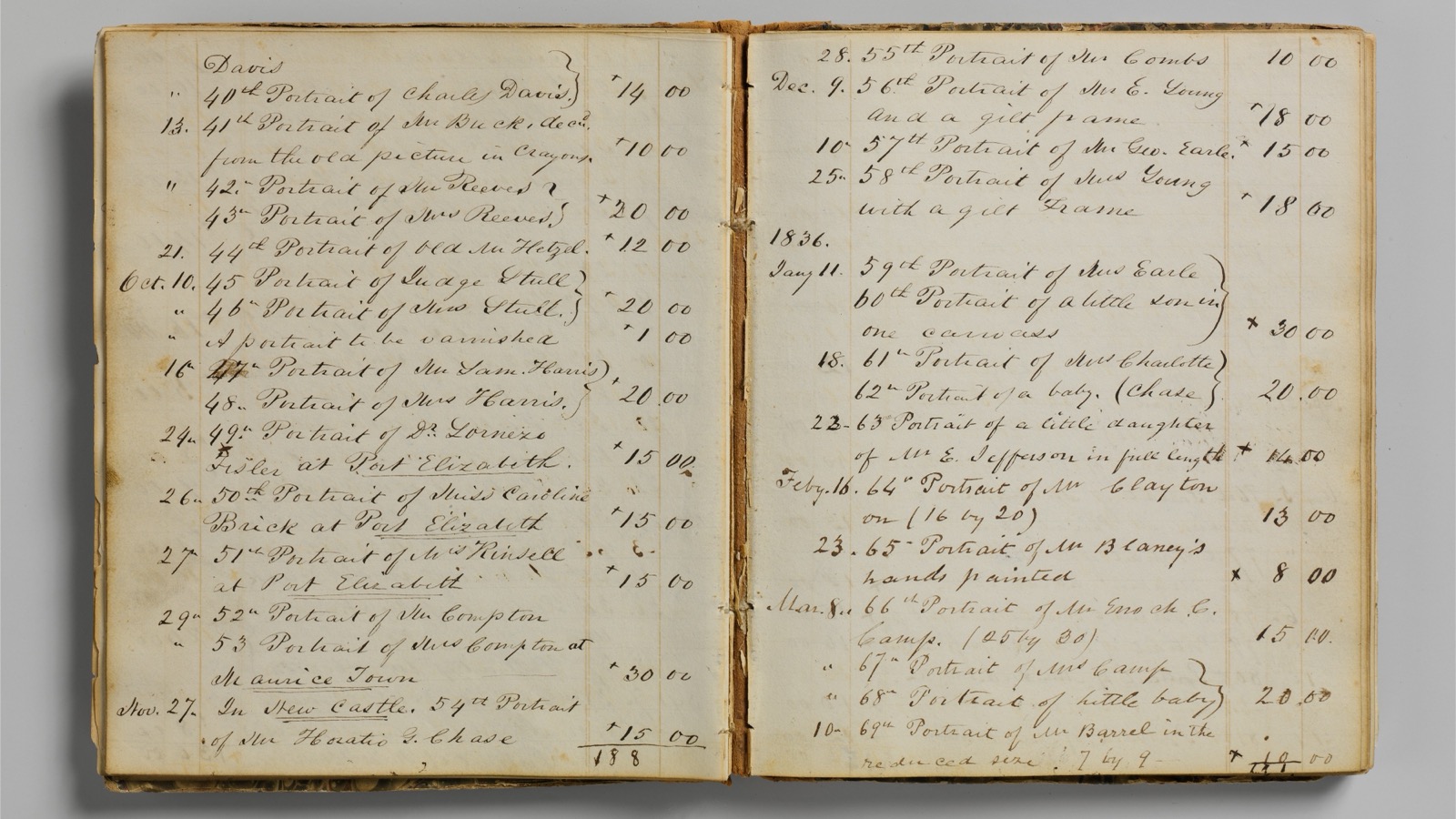
    Pages of a nineteenth-century handwritten account ledger showing dated columns of figures
    Account book ledger. Metropolitan Museum of Art Open Access, via Wikimedia Commons, CC0.

    How does a QuickBooks cleanup service scope the engagement?

    It starts with discovery, not correction. The provider inventories every bank, card, and loan account, then finds the most recent month where all of them tied to a statement. That month anchors the work, and everything after it defines the scope.

    Scope drives the quote. A fixed price rests on three measured inputs: the months since the last clean close, the number of accounts, and the count of transactions no rule has categorized. On the illustrative file, that is 14 months, 5 accounts, and about 1,900 uncategorized transactions.

    Aaron Ressel reviews every cleanup scope before Debit & Co. quotes it, so the price reflects the measured error population rather than a guess. A provider that quotes before it counts is pricing a file it has not read.

    What does a QuickBooks cleanup service actually deliver?

    A finished, provable set of books and the documentation behind it. The deliverable is a package, not a tidied screen, and each item lets a tax preparer, lender, or acquirer rely on the numbers.

    • A reconciled balance sheet, with every account tied to an outside statement as of the cutover date.
    • A reconciliation report for each of the 5 accounts, each showing a $0.00 difference.
    • A schedule of adjusting journal entries, every one carrying a dated memo that explains the correction.
    • An open-items list for anything still pending a document or a client decision.
    • A scope-versus-findings summary that reconciles the quote to what the file actually held.

    Set that packet against a self-run pass, where the fixes sit inside the file and nobody can trace them later. Our breakdown of what a cleanup costs in-house versus with a provider puts numbers on the gap.

    What access does a cleanup provider need to your accounts?

    Read-only access to the ledger and the source records, granted at the lowest level that still lets the work proceed. A reputable provider asks for accountant access to QuickBooks Online, not the owner’s admin login, and never the banking password.

    Three grants cover most engagements. Accountant access to the QuickBooks Online company file. A read-only, statement-download role on the bank and card accounts. Viewer access to any Bill.com or payroll history the corrections depend on.

    Two controls protect the company. Confirm the provider carries a SOC 2 report before sharing anything, and set a date to revoke every grant at handoff. Least-privilege access limits exposure while the file is open, and prompt revocation closes it afterward.

    What are the phases of a books cleanup engagement?

    Six phases, run in order, each ending at a checkpoint the client approves before the next begins. The table maps what happens in each phase, what you sign off on, and how long it usually runs.

    PhaseWhat happensWhat you approveTypical duration
    Discovery and scopeInventory accounts; find the last provable closeThe fixed scope and price2–3 business days
    DiagnosticQuantify the uncategorized and stale-balance populationThe correction plan3–5 business days
    ReconciliationTie every account to its statements, month by monthNothing; this phase is execution2–6 weeks
    CorrectionPost a dated adjusting entry for each errorAny material write-back before it postsOverlaps reconciliation
    VerificationReview every tie-out against its evidenceThe final balances3–4 business days
    HandoffDeliver the packet and the maintenance planThe go-forward cadence1–2 business days

    Reconciliation and correction carry the calendar, because they scale with accounts and months. The other four phases stay short by comparison. For the mechanics inside those two phases, our step-by-step QuickBooks cleanup guide sequences the work itself.

    How do you estimate the cleanup timeline?

    Multiply the accounts by the months, then divide by a weekly clearance rate. The illustrative file carries the arithmetic, and document delays, rather than labor, usually set the calendar.

    1. Scope. 5 accounts across 14 months gives 5 × 14 = 70 account-months to reconcile.
    2. Clearance rate. At an assumed 12 account-months cleared per week, 70 ÷ 12 = 5.8 weeks of reconciliation and correction.
    3. Fixed phases. Discovery, diagnostic, verification, and handoff add about 11 business days, roughly 2.2 weeks.
    4. Total elapsed. 5.8 + 2.2 = 8.0 calendar weeks, assuming statements arrive on request.

    A single missing set of statements stalls the month it covers, because reconciliation cannot skip a period. That is why a serious provider requests documents on day one. A file also missing whole months needs catch-up bookkeeping first, which adds its own scope.

    How do you verify the cleanup was done correctly?

    Check the same four conditions an examiner checks, then confirm each correction traces to a document. The verification is a pass-or-fail review, not an opinion.

    • Every bank and card account reconciles to its statement, at a $0.00 difference.
    • Suspense and undeposited funds read $0.00, or every remaining item is itemized.
    • The opening balance ties to the last filed return or the prior-year financials.
    • Each adjusting entry carries a memo and a supporting document.

    That last test is the one buyers skip. The books have to support the numbers on the return, and the IRS is explicit about the records behind them.

    “You need good records to prepare accurate financial statements.” — U.S. Internal Revenue Service, Publication 583

    A cleanup that changes a balance with no document behind it has moved the problem rather than fixed it. Ask to see the schedule of entries and trace three of them to their evidence before you accept the file.

    What happens after the engagement ends?

    The file needs a maintenance routine, or it rebuilds the same backlog within a few quarters. A cleanup repairs the history; it installs no habit that keeps the history clean.

    A sound handoff sets three things: a locked closing date on the last cleaned month, a named owner for the monthly reconciliation, and a support window for questions that surface after delivery. Many providers include 30 days of post-engagement support for issues traceable to the cleanup.

    The recurring work then belongs to a standing cadence. The Continuous Close Method™ turns the reconciled file into a monthly close instead of a one-off project, and our guide to the monthly bookkeeping routine after a cleanup lists the tasks that hold the result.

    Frequently asked questions

    How long does a QuickBooks Online cleanup take?

    It depends on accounts and months behind, not on a flat rate. A single year with a few reconciled accounts often resolves in 2 to 4 weeks, while a multi-year file with unreconciled accounts and a large suspense balance can run 8 to 12 weeks. The illustrative 14-month, 5-account file above lands near 8 calendar weeks, and document delays extend it more than labor does.

    What does a bookkeeping cleanup service actually deliver?

    A finished, provable set of books plus the documentation behind it. That means a reconciled balance sheet tied to outside statements, a reconciliation report per account, a schedule of dated adjusting entries with memos, and an open-items list for anything still pending. The packet lets a tax preparer, lender, or acquirer rely on the numbers.

    What access does a cleanup provider need to your accounts?

    Read-only access at the lowest level that lets the work proceed. A reputable provider asks for accountant access to QuickBooks Online, a statement-download role on the bank and card accounts, and viewer access to Bill.com or payroll history where corrections depend on it. Confirm the provider carries a SOC 2 report, and revoke every grant at handoff.

    How do you verify the cleanup was done correctly?

    Check four conditions and trace the corrections to evidence. Every account should reconcile to its statement at a $0.00 difference, suspense and undeposited funds should read $0.00, the opening balance should tie to the last filed return, and each adjusting entry should carry a memo and a supporting document. Trace three entries to their documents before accepting the file.

    What happens if new errors surface after the engagement ends?

    Errors traceable to the cleanup fall under the provider’s post-engagement support, which often runs 30 days from delivery. Errors from new activity belong to the go-forward routine instead. A locked closing date on the last cleaned month keeps a late entry from reopening a corrected period, and a named owner for the monthly reconciliation catches new issues before they compound.

  • After the Cleanup: The Monthly Routine That Keeps Your Books From Getting Messy Again

    After the Cleanup: The Monthly Routine That Keeps Your Books From Getting Messy Again

    The short answer: A monthly bookkeeping routine of seven recurring tasks keeps a cleaned-up file clean, and on the illustrative file below it takes 12.75 hours a month. Deferring categorization to year-end multiplies that labor by 2.4.

    • Categorize weekly and reconcile every bank and card account monthly, so a discrepancy surfaces while its source document is still findable.
    • Suspense and undeposited funds should read $0.00 at every close, because a balance in either means a decision is still pending.
    • Lock each closed period. An entry dated into a closed year is the mechanism that rewrites retained earnings.
    • Vendor forms and records run on their own clocks: the Form 1099-NEC reporting threshold is $2,000 for tax years beginning after 2025, and the general record retention period is 3 years.

    Last updated September 2026.

    A QuickBooks cleanup corrects the historical record. It leaves the habits that produced the errors untouched. A file cleaned once and then abandoned rebuilds the same backlog, because the underlying causes recur: transactions accepted without review, deposits never matched to invoices, and vendors paid without tax documentation on file.

    The routine below follows a modelled Tampa professional-services firm with $8.4M in annual revenue and 1,150 bank and card transactions a month across five accounts. Every figure is illustrative, and the arithmetic appears in full so the schedule scales to another file.

    Open handwritten account book from the 1830s with dated entries and a column of dollar amounts
    Account book of John Carlin, entries dated 1835–1836. Metropolitan Museum of Art Open Access, via Wikimedia Commons, CC0.

    Why do books get messy again after a cleanup?

    Books get messy again because the same inputs keep arriving after the cleanup ends: unreviewed transactions, unmatched deposits, and entries dated into closed periods. A cleanup removes accumulated errors. It installs no control that stops new ones.

    • Feed acceptance without review. Bank feeds import transactions faster than anyone reviews them, and an accepted miscategorization is indistinguishable from a correct entry on the next report.
    • Deposits that never match. Receipts parked in undeposited funds accumulate until someone clears the account, and each unmatched one overstates either cash or revenue.
    • Payments recorded outside the payables workflow. A bill paid by ACH and never linked leaves a liability open on the aging report.
    • Edits to closed periods. One late entry dated into last year changes retained earnings, and the financials already delivered no longer agree with the ledger.

    Our balance sheet cleanup guide traces each of these to the account where it lands. The routine below intercepts them before they get there.

    How much does waiting until year-end actually cost?

    Deferring categorization to year-end multiplies the labor by 2.4 for the illustrative firm. Each deferred item takes longer to resolve than the same item reviewed in its own month, because the receipt and the context are gone.

    Assume 12% of the 1,150 monthly transactions need human judgment: a new vendor, a split payment, or a missing receipt. That is 138 items a month. Reviewed weekly, an item takes an assumed 2.5 minutes. Reconstructed a year later, the same item takes an assumed 6 minutes.

    1. Monthly review: 138 items × 2.5 minutes = 345 minutes, or 5.75 hours. Across 12 months, 69 hours.
    2. Year-end reconstruction: 138 × 12 = 1,656 items × 6 minutes = 9,936 minutes, or 165.6 hours.
    3. Ratio: 165.6 ÷ 69 = 2.4 times the labor.
    4. At an assumed $85 an hour, the routine costs $5,865 a year and reconstruction costs $14,076, a gap of $8,211.

    The handling times are modelling assumptions and carry no benchmark claim, yet the conclusion survives any reasonable values, because lost documentation slows every deferred item. Reconstruction also degrades the resulting file, since unresolved items migrate into suspense.

    What does a monthly bookkeeping routine include?

    Seven recurring tasks keep a cleaned file clean, and each closes with a tie-out that proves a balance against evidence outside the ledger. Together they consume 12.75 hours a month at the illustrative firm.

    TaskCadenceTie-out that proves itModelled hours per month
    Review and categorize the bank and card feedWeeklyZero uncategorized items; every flagged item has a source document5.75
    Reconcile all five bank and card accountsMonthlyStatement ending balance equals ledger balance; difference $0.002.50
    Clear undeposited funds and suspenseMonthlyBoth accounts at $0.00, or every remaining item itemized with an owner1.00
    Review receivables agingMonthlyEvery invoice past 60 days carries a collection note1.50
    Match payables to vendor statementsMonthlyTop 10 vendors by spend agree to their statements1.50
    Collect Form W-9 from new vendorsAt onboardingTaxpayer ID on file before the first payment0.25
    Lock the closed periodMonthlyClosing date set; opening retained earnings unchanged0.25
    Total——12.75

    How often should transactions be categorized and reconciled?

    Categorize weekly and reconcile monthly. Weekly categorization keeps each transaction within days of its source document, and monthly reconciliation proves the ledger against a bank statement that is final.

    A weekly pass at this firm covers about 265 transactions (1,150 ÷ 4.33 weeks), and with 12% requiring judgment the reviewer faces roughly 32 items, or about 80 minutes of work at 2.5 minutes apiece.

    Reconciliation belongs at month-end, because a statement is final only after the period closes. Timing differences and outstanding items get their full treatment in our guide to how often to reconcile bank and account balances.

    What should the month-end review catch before the period locks?

    The review confirms six conditions, each a pass or fail with no judgment involved. Any failure keeps the period open until the cause is corrected.

    • Zero uncategorized transactions in any account.
    • A $0.00 difference on every bank and card reconciliation.
    • Suspense and undeposited funds at $0.00, or every remaining item itemized.
    • No negative balance in any asset account.
    • Opening retained earnings equal to the prior-year closed figure.
    • Accounts payable in agreement with the top 10 vendor statements.

    Locking follows the review. Set the accounting system’s closing date to the last day of the reviewed month, so that any subsequent edit requires a deliberate administrative override. The lock protects retained earnings; without it, a single entry dated into a closed year rewrites the opening balance.

    The month-end close checklist sequences these checks with the surrounding close tasks.

    How long should bookkeeping records be kept?

    The IRS sets the general retention period for business records at 3 years, with longer periods for specific situations. The routine should tag each month’s supporting documents with the longest period that could apply to them.

    The IRS recordkeeping guidance sets the general period at 3 years. It extends the period to 6 years when omitted income exceeds 25% of the gross income shown on the return, and it requires employment tax records for at least 4 years after the tax is due or paid, whichever is later.

    “Keep records for 7 years if you file a claim for a loss from worthless securities or bad debt deduction.” — IRS, How long should I keep records?

    That period applies directly to the receivable write-offs a cleanup produces. The documentation behind a bad debt deduction outlasts the ordinary 3-year window.

    Which vendor forms does the monthly routine need to collect?

    A Form W-9 from every new vendor, collected before the first payment, keeps the year-end Form 1099-NEC list complete. The reporting threshold sets which payees the form covers.

    The IRS instructions for Forms 1099-MISC and 1099-NEC direct a payer to file Form 1099-NEC for each person “to whom you have paid at least $2,000” for services performed by someone who is not an employee, and they state that the reporting threshold rose to $2,000 for tax years beginning after 2025 and may be adjusted for inflation beginning in calendar year 2027.

    Collecting a Form W-9 before the first payment takes about 5 minutes per vendor. At this firm, 3 new vendors a month add 0.25 hours. Collecting the same forms the following January means chasing vendors who have moved on.

    Should a small business use a bookkeeper all year round?

    Yes, once the monthly workload exceeds what the owner can finish before each close. At this firm that workload is 12.75 hours a month, or 153 hours a year, which is nearly 4 full 40-hour work weeks.

    Reconciliation and period-lock steps generate no visible output, which explains why an owner-run schedule abandons them first; assigning every tie-out to a named preparer with a completion date closes that accountability gap.

    The Continuous Close Method™ turns the seven tasks above into a standing schedule instead of a project. Aaron Ressel reviews every close packet before it ships, so a failed tie-out surfaces before the period locks. The one-time recovery work sits in our QuickBooks cleanup guide and the catch-up bookkeeping sequence.

    Frequently asked questions

    What happens right after a QuickBooks cleanup?

    The file requires a deliberate handoff to a recurring routine. The cleanup leaves reconciled balances, a zero suspense account, and a closing date on the last cleaned period. Run the full seven-task cycle once in the first month, with the preparer documenting every tie-out, so the standard is proven before anyone relies on it.

    How long does the monthly routine take?

    For the illustrative firm, with 1,150 transactions a month across five accounts, the routine takes 12.75 hours. Categorization review drives 5.75 of those hours, and it scales with the number of items needing judgment rather than with revenue. A file with half the volume cuts that block to about 2.9 hours.

    What is the first sign the books are drifting again?

    A suspense or undeposited funds balance that does not return to $0.00 at close. Both accounts are queues, so a carried balance means a decision was deferred. A reconciliation difference above $0.00 is the second early sign, and it indicates a transaction recorded on one side only.

    Can an owner run the routine without a bookkeeper?

    Yes, for a low-volume file. The routine is a schedule of tie-outs, and none requires a professional credential. The binding constraint is time: 12.75 hours a month for the illustrative firm. A workable division keeps the categorization pass with the owner and delegates reconciliation and the period lock to a controller-level reviewer.

    Does the routine depend on QuickBooks Online?

    No. The tie-outs compare ledger balances to bank statements, vendor statements, and prior-year financials, and every general ledger produces those balances. The process works identically in QuickBooks Online or NetSuite, though the location of the closing-date control differs by system.

  • Balance Sheet Cleanup: Fixing Negative Balances, Stale AR/AP, and Suspense Accounts

    Balance Sheet Cleanup: Fixing Negative Balances, Stale AR/AP, and Suspense Accounts

    The short answer: A balance sheet cleanup reconciles every account balance to independent evidence, then corrects the ledger with dated journal entries rather than direct edits to closed periods. Across the modelled file below, five accounts carry $304,848 of unsupported balance against $6.8M of annual revenue.

    • A negative cash balance is a recording failure, not a banking event, and the reconciliation isolates which side created it.
    • Receivables carry two separate write-off standards: a GAAP allowance for expected credit losses, and a tax deduction limited to debts documented as worthless.
    • Payables aged beyond a year split three ways: duplicates to reverse, obligations still owed, and forgiven amounts that become taxable income for an accrual-basis filer.
    • Uncashed vendor checks belong to the state after the statutory dormancy period, so removing them from the ledger does not extinguish the obligation.
    • Retained earnings diverges from prior-year financials whenever an entry lands in a closed period, and the reconciliation must name every entry.

    Last updated September 2026.

    Most cleanup projects begin with the income statement, because that is where owners notice the distortion. The balance sheet is where the distortion originates. An account balance nobody can explain has been accumulating error for years, and every monthly report inherits it.

    The account-by-account method below follows a modelled Tampa specialty distributor generating $6.8M in annual revenue on the accrual basis. Its books close August 31, 2026. Each figure is illustrative, and the arithmetic appears in full so every correction remains traceable.

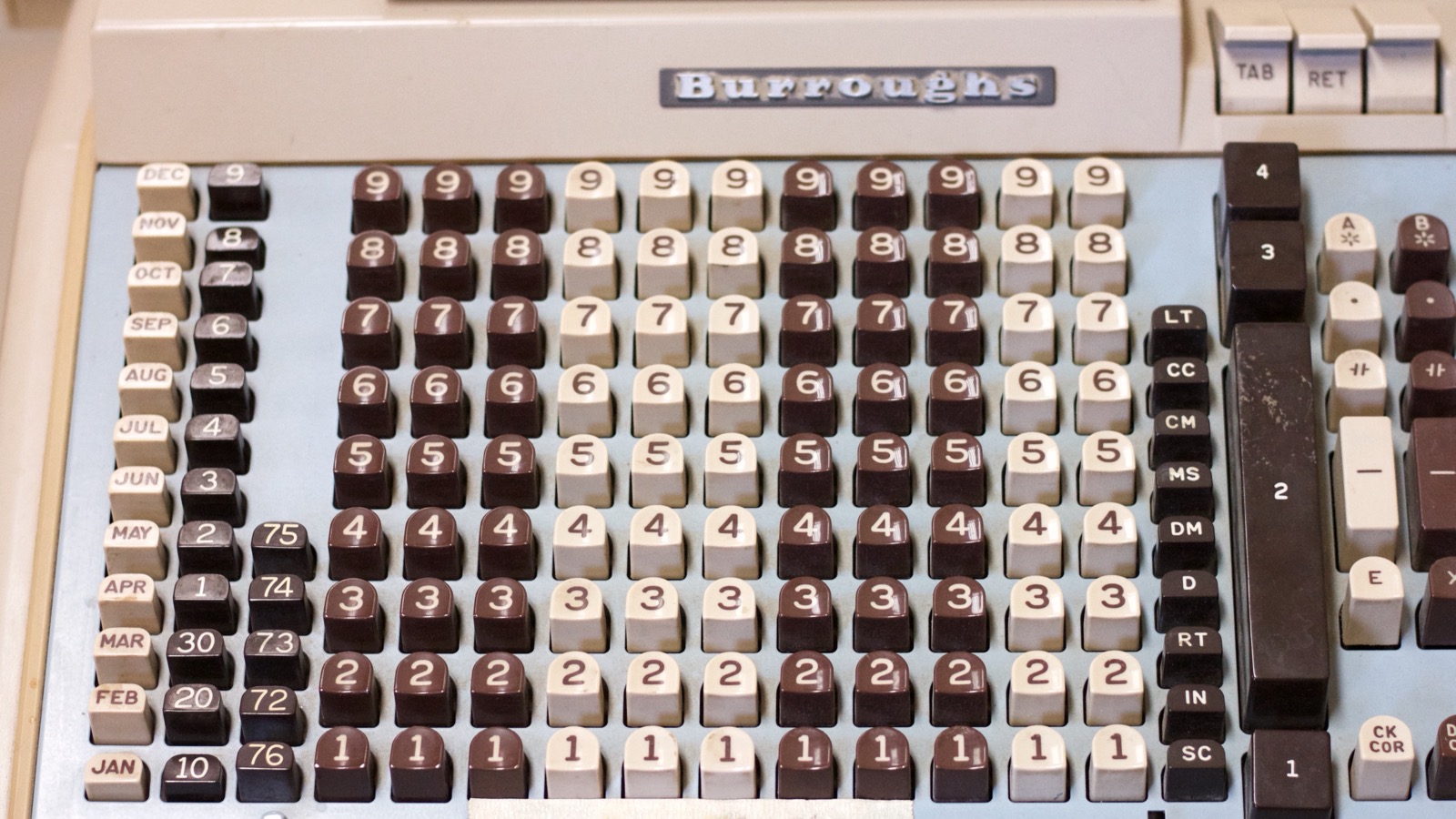
    Keyboard of a vintage Burroughs bookkeeping machine showing month keys and columns of digit keys
    Photo by Alan Levine, Wikimedia Commons, CC0.

    What does a balance sheet cleanup actually fix?

    A balance sheet cleanup proves each balance against a source outside the accounting system, then corrects what the evidence contradicts. Cash reconciles to a bank statement. Receivables reconcile to invoices a customer acknowledges. Every other account follows the same discipline.

    Sequence matters. Cash anchors the file, because a receipt misposted to cash distorts revenue, receivables, and the suspense account simultaneously. Work down the balance sheet in liquidity order.

    AccountModelled balanceEvidence it must agree withTypical cause of the variance
    Operating cash($18,440)Bank statement plus outstanding itemsBank feed matched a payment twice
    Undeposited funds$41,275Deposit slips cleared by the bankReceipts recorded twice, once as a deposit
    Accounts receivable$1,284,600Customer-confirmed open invoicesPayments applied to the wrong invoice
    Accounts payable$612,400Vendor statementsBills paid outside the payables module
    Suspense$73,900Receipts and contracts per transactionUnclassified activity never revisited
    Retained earnings$1,942,700Prior-year financials or tax returnEntries posted into a closed year

    Those six accounts explain most cleanup findings. The sections below work through the arithmetic behind each one.

    How do you fix a negative bank balance in QuickBooks?

    Reconcile the account first, then correct the specific transactions the reconciliation identifies. A negative ledger balance almost never reflects an overdrawn bank account. It reflects payments the ledger recorded and receipts it did not.

    The modelled company’s operating cash shows ($18,440) while the August bank statement reports $63,720. The reconciliation distributes that $82,160 variance across two populations:

    1. Duplicate expense entries totaling $54,300, created when bank feed transactions were accepted alongside manually entered checks.
    2. Customer deposits totaling $27,860 that cleared the bank but were never recorded in the ledger.

    The proof runs in one line: ($18,440) plus $54,300 plus $27,860 equals $63,720, the statement balance. Our worked bank reconciliation example demonstrates the same mechanics on a clean file.

    Delete the duplicates rather than offsetting them. An offsetting entry preserves both the phantom expense and its correction, and every subsequent analyst must reconstruct why.

    What should you do with old uncollected accounts receivable?

    Estimate an allowance for the whole portfolio under GAAP, and charge off individually documented debts for tax. The two calculations produce different numbers, and both belong in the cleanup.

    FASB Accounting Standards Update 2016-13 replaced the incurred loss methodology “with a methodology that reflects expected credit losses,” and its amendments reach trade receivables directly. Loss rates therefore apply to current invoices, not only to delinquent ones.

    Aging bucketBalanceExpected loss rateAllowance
    Current$912,5000.4%$3,650
    31–60 days$186,5001.8%$3,357
    61–90 days$64,8006.5%$4,212
    91–365 days$24,70022.0%$5,434
    Over 365 days$96,10085.0%$81,685
    Total$1,284,600—$98,338

    How much of a receivable write-off is actually deductible?

    Only the portion documented as worthless, invoice by invoice. The allowance is an estimate, and an estimate is not deductible. IRS Publication 334 instructs that “Generally, you must use the specific charge-off method.”

    Of the $96,100 aged beyond a year, collection files document $71,850 as worthless. The remaining $24,250 stays open, because a disputed invoice is a collection problem rather than a worthless debt.

    Three conditions govern the deduction. The receivable must already have been included in gross income, which an accrual-basis filer satisfies at invoicing and a cash-basis filer never does.

    The debt must also have become worthless in the year claimed. IRS Topic no. 453 sets that standard by evidence rather than by age: a debt becomes worthless “when the surrounding facts and circumstances indicate there’s no reasonable expectation that the debt will be repaid.” Collection correspondence, a returned demand letter, or a dissolved debtor entity all serve as proof.

    The third condition applies to partial write-offs. Where a debt is only partly worthless, the deduction is “limited to the amount you charged off on your books during the year.” The book entry must therefore precede the return.

    Book and tax consequently diverge by $26,488. That difference belongs in the deferred tax workpaper rather than in a revised allowance.

    What should you do with accounts payable that is years old?

    Confirm each balance against a vendor statement before touching it. Stale payables look identical on an aging report and carry three different outcomes. The modelled file holds $37,900 across 14 bills aged beyond a year.

    • $19,400 across 6 bills was already paid by ACH and recorded against a different bill. Reversing the duplicate liability produces no income and no deduction.
    • $12,180 across 5 bills remains genuinely owed. Of that, $8,940 sits in vendor checks issued during 2020 and 2021 that were never cashed.
    • $6,320 across 3 bills was forgiven in writing by a vendor that closed its account.

    The forgiven $6,320 is taxable. Publication 334 treats a canceled trade payable as income for an accrual-method taxpayer, “because the expense was deductible when you incurred the debt.” At a 21% federal corporate rate, clearing that balance costs $1,327 in tax.

    The uncashed checks raise a different obligation. Under Florida Statutes section 717.102, “the dormancy period is 5 years from the date the property becomes payable or distributable,” after which the funds are presumed abandoned and belong to the state.

    Section 717.117 then governs the handoff. It requires written notice to the payee between 90 and 180 days before filing, a second certified notice for any item above $1,000, and a report filed before May 1 covering the preceding calendar year. Three of the nine checks, totaling $7,215, trigger the certified notice. Late reporting costs $10 per day to a $500 maximum.

    What is a suspense account, and why is money stuck in it?

    A suspense account holds transactions the bookkeeper could not classify, pending a decision someone else has to make. It functions as a queue. Left unworked, it becomes a permanent asset balance nobody owns.

    The modelled file carries $73,900 across 214 transactions. Reviewing the underlying receipts redistributes the balance:

    1. $48,200 of operating expenses, deductible in the year incurred.
    2. $17,600 of owner distributions, which belong in equity and were never deductible.
    3. $6,300 of equipment purchases requiring capitalization and depreciation.
    4. $1,800 still unidentified, held pending documentation.

    Reclassifying the $48,200 reduces reported pretax income by 0.71% of revenue. Owners frequently read that as a new problem. It is the correction of an old one, and the prior margin was overstated by the same amount.

    Undeposited funds behaves as a second suspense account. Of the $41,275 sitting there, $38,910 duplicates deposits already booked straight to income, which overstated revenue by 0.57%. The cleanup sequence in our step-by-step QuickBooks cleanup guide clears both queues before any report is issued.

    Why doesn’t retained earnings match last year’s financials?

    Retained earnings diverges whenever an entry posts into a period the financials already reported. The account is the cumulative result of every prior year, so a single backdated entry rewrites history.

    The modelled file opens fiscal 2026 with retained earnings of $1,942,700. The prior-year financial statements report $1,930,150. The $12,550 difference resolves into four journal entries dated into the closed year after those statements were issued: $9,400 of accrued bonuses, $2,200 of depreciation, $1,750 of a vendor accrual, and an $800 credit reversing a duplicate entry.

    Name each entry in a reconciliation schedule, then decide whether it was correct. A correct entry means the prior-year statements require revision. An incorrect entry gets reversed in the current period. Closing the books and restricting the date is what prevents the next occurrence.

    How do you keep a balance sheet clean after the cleanup?

    Convert each cleanup finding into a recurring monthly reconciliation. Cash, receivables, payables, and the suspense account all earn a tie-out with a named preparer and a completion date. Aaron Ressel reviews every balance sheet reconciliation before the close packet leaves the firm, which is the control the Continuous Close Method™ formalizes.

    A file that reconciles monthly rarely needs a second cleanup. The month-end close checklist lists the tie-outs in the order they hold.

    Frequently asked questions

    How long does a balance sheet cleanup take?

    Scope drives the timeline. A single year with reconciled cash typically resolves in 2 to 4 weeks. Multiple years with an unreconciled bank account, a large suspense balance, and unconfirmed receivables usually run 6 to 10 weeks, because vendor and customer confirmations depend on third-party response times.

    Should you delete old transactions or write them off?

    Write them off. Deleting a transaction removes it from every prior period that reported it, which changes financials already delivered to a lender or a tax preparer. A dated write-off entry in the current period preserves the audit trail and lands the adjustment in a period nobody has closed.

    Does a balance sheet cleanup require amending prior tax returns?

    Sometimes. An adjustment that changes prior-year taxable income, such as expenses discovered in a suspense account, may support an amended return. An adjustment that only corrects classification within the balance sheet generally does not. The decision belongs to the tax preparer, and the cleanup workpapers supply the evidence.

    What is the difference between a balance sheet cleanup and catch-up bookkeeping?

    Catch-up bookkeeping records transactions that were never entered. A balance sheet cleanup corrects balances that were entered incorrectly. Books that are years behind usually need both, in that order, because balances cannot be proven until the underlying activity exists in the ledger.

    Who should perform the write-off entries?

    A controller-level reviewer, working from documentation rather than from an aging report. Write-offs touch taxable income, equity, and prior-period reporting at once. The preparer assembles the evidence, and the reviewer approves each entry against it.

  • Catch-Up Bookkeeping: How to Fix Books That Are Months (or Years) Behind

    Catch-Up Bookkeeping: How to Fix Books That Are Months (or Years) Behind

    The short answer: Catch-up bookkeeping rebuilds the missing months of a company’s books in chronological order, starting from the last date its balances can be proven. A modelled company 14 months behind faces 98 statement reconciliations and 7,560 transactions before its next return can be prepared.

    • The work begins at an anchor: the most recent month in which every bank, card, and loan account reconciled to its statement.
    • Statements, filed payroll returns, and processor payout reports reconstruct a month, whereas imported bank feeds record transactions without proving completeness.
    • Repair the existing file when its opening balances tie to the anchor; rebuild from the anchor when the differences cannot be traced to documents.
    • Absent penalty relief, an S corporation with 3 shareholders filing 5 months late incurs $3,825 in federal late-filing penalties, even when no tax is due.
    • Lock each month in the accounting software once it reconciles, so subsequent entries cannot quietly reopen completed periods.

    Last updated September 2026.

    Accounting records seldom collapse within a single month. They deteriorate one unreconciled statement at a time, until the last trustworthy balance sits a year back and a filing deadline sits only weeks ahead. Recovery follows a fixed sequence, and that sequence matters considerably more than speed.

    The analysis below follows a modelled professional-services company that stopped reconciling its accounts in mid-2025. Every figure describing that company is illustrative, and the arithmetic appears in full so each conclusion can be independently traced.

    Row of orange and teal office binders on a shelf, one spine labelled with the year 2020
    Photo by Shixart1985, Wikimedia Commons, CC BY 2.0.

    What is catch-up bookkeeping?

    Catch-up bookkeeping records and reconciles every month a company skipped, carrying the general ledger from its last provable balance to the current period. It fills gaps. A cleanup, by contrast, repairs months that were recorded but recorded incorrectly.

    That distinction determines the methodology. Missing months require source documents and processing capacity. Misrecorded months require forensic correction inside periods that filed returns may already describe, the territory our step-by-step QuickBooks cleanup guide addresses.

    Most files a year behind need both treatments, and catch-up comes first. Recording errors become visible only after every month exists and every statement has been matched against the ledger.

    The deliverable is specific. Each month reconciles to its statements, and payroll expense agrees with filed payroll returns. The resulting balance sheet is one a tax preparer, lender, or acquirer can rely upon.

    Where do you start when books are a year behind?

    Start at the anchor, meaning the most recent date on which the balances can be independently proven. Everything after that date constitutes the engagement, and everything before it remains closed.

    Two candidates typically compete for the anchor. One is the last month in which every bank, card, and loan account reconciled to its statement. The other is the balance sheet reported on the most recently filed business return. Accept the later candidate only after rebuilding its cash balances from statements and confirming that they match.

    Smaller S corporations may lack the second option entirely. Schedule L, the balance sheet on Form 1120-S, is not required when total receipts and total assets both fall below $250,000.

    Then proceed chronologically, one month at a time. Each closing balance becomes the following month’s opening balance, so reconciling March before February guarantees reconciling March twice.

    An approaching deadline changes priorities without changing the sequence. File the extension first, then continue the catch-up in order, because jumping ahead to the fiscal year-end month produces a balance sheet nobody can substantiate.

    What records does the IRS expect a business to keep?

    Records sufficient to support every figure on the return, maintained by the business itself rather than by its bank or software vendor. The Internal Revenue Code states the obligation directly.

    Under 26 U.S.C. § 6001, every person liable for federal tax “shall keep such records, render such statements, make such returns,” and comply with the rules the Treasury prescribes. The statute assigns that duty to the taxpayer, not to any outside service provider.

    IRS guidance translates the obligation into paper. According to IRS Publication 583, “Supporting documents include sales slips, paid bills, invoices, receipts, deposit slips, and canceled checks.” Catch-up work therefore rebuilds the evidence alongside the entries, because an unsupported entry fails the same test as a missing one.

    Retention periods set the outer boundary. The IRS record-retention guidance generally requires 3 years and extends to 6 years when unreported income exceeds 25% of reported gross income. Where no return was filed, it says to keep records indefinitely.

    What documents do you need to reconstruct missing months?

    Third-party records that exist independently of the ledger, chiefly statements, filed returns, and processor reports. Each source rebuilds a different portion of the month.

    Source documentWhat it reconstructsWhere to obtain itTie-out test
    Bank and credit card statementsEvery cash movement, month by monthBank portal, or a written request for older periodsEach ending balance equals the next opening balance
    Payroll registers and filed Forms 941Gross wages, withholding, employer taxesPayroll provider; IRS account transcriptsQuarterly wages agree with each Form 941
    Merchant processor payout reportsGross sales, fees, refunds, and chargebacksProcessor dashboard exportsGross sales less fees equals the deposit
    Loan and lease statementsPrincipal and interest allocationLender or lessorLedger principal equals the lender’s balance
    Vendor bills and Bill.com historyExpense classification and open payablesPayables inbox, vendor statementsPayments by vendor agree with disbursements
    Filed sales tax returnsTaxable sales by reporting periodState revenue department accountReported sales agree with recorded revenue

    Bank feeds import transactions; statements prove them. Treat any imported history as provisional until a statement confirms that month’s ending balance.

    Should you repair the existing file or rebuild from scratch?

    Repair the file when its opening balances tie to the anchor and the problems sit inside identifiable months. Rebuild from the anchor when differences cannot be traced, because every correction to an untraceable file rests on an assumption.

    What the file showsDecisionReasoning
    Opening balances tie to the anchor; later months are simply unrecordedRepair by adding the missing monthsThe recorded history is already proven
    Duplicate feed imports spanning several monthsRebuild the affected period from statementsDeleting duplicates individually repeats the original error at scale
    Opening Balance Equity or suspense absorbing unexplained differencesRebuild from the anchorThe difference has no source document to trace
    Wrong entity type or accounting method configuredNew file from the anchorEvery report inherits the defective setup
    Planned migration to NetSuiteRebuild inside the new systemCatch-up and migration share one reconciliation effort

    How long does catch-up bookkeeping take?

    Duration follows three drivers: months behind multiplied by accounts, the number of transactions requiring manual review, and the delay in obtaining documents. The modelled company demonstrates the arithmetic.

    1. Scope. The books were last reconciled on June 30, 2025, and work begins in September 2026, leaving 14 months from July 2025 through August 2026. Three bank accounts, 2 credit cards, a processor clearing account, and a term loan total 7 accounts, so 14 × 7 = 98 statement reconciliations.
    2. Volume. Roughly 540 transactions per month across 14 months produces 7,560 transactions.
    3. Automation. Recurring vendor rules and statement matching code 5,670 of them, an assumed 75% rate. That leaves 7,560 − 5,670 = 1,890 transactions requiring professional judgment.
    4. Hours. At an assumed 60 manual transactions per hour, coding requires 1,890 ÷ 60 = 31.5 hours. At 30 minutes apiece, 98 reconciliations require 49 hours, bringing direct effort to 80.5 hours.

    In this model, document availability sets the calendar rather than labor hours. At 20 productive hours weekly, 80.5 hours spans just over 4 weeks. A single missing set of statements, however, stalls every subsequent month, because the chronology cannot skip ahead.

    Can you file taxes while your books are still behind?

    Yes, on extension, although only the filing deadline moves. Tax owed remains due on the original date, and late-filing penalties accrue on a separate clock.

    Form 7004 provides an automatic extension of time to file that generally runs 6 months. Its instructions state the limitation plainly: “Form 7004 does not extend the time to pay any tax due.”

    The calendar matters for pass-through entities. A calendar-year S corporation’s 2025 Form 1120-S was due March 16, 2026, because March 15 fell on a Sunday. A timely extension moved that filing date to September 15, 2026, according to IRS Publication 509, leaving extended filers almost no margin as of mid-September.

    Penalty relief is changing as well. The IRS states that First Time Abate is transitioning to an Automatic Exemption from Penalty beginning summer 2026, starting with 2025 tax year returns. A late filer with timely filed returns and paid tax for the three prior years is not assessed failure-to-file, failure-to-pay, or deposit penalties.

    The history test cuts both ways for a company that is behind. A business that also filed late within those three years does not qualify, and unpaid tax and interest remain payable regardless. The IRS lists the late-filing penalties for partnership and S corporation returns among those eligible for relief.

    What does filing late cost a pass-through entity?

    A fixed charge per owner for each month the return is late, calculated independently of any tax shown. The 2025 Form 1120-S instructions set the charge at $255 for each month or part of a month, up to 12 months, multiplied by the number of shareholders. Partnerships filing Form 1065 face the same $255 charge for each partner. Older returns in a catch-up carry older amounts: the charge was $245 for returns required to be filed in 2025, per Rev. Proc. 2023-34.

    1. Owners. The modelled S corporation has 3 shareholders throughout the tax year.
    2. Delay. No extension was filed, and the return reaches the IRS 5 months after its due date.
    3. Penalty. 3 shareholders × 5 months × $255 = $3,825, owed absent penalty relief even when the return shows no tax due.

    C corporations instead face a percentage penalty on unpaid tax, which our analysis of what running QuickBooks behind actually costs quantifies. A minimum also applies once a C corporation return is filed more than 60 days after its due date, including extensions. For returns required to be filed in 2026, the minimum failure-to-file penalty is $525 or 100% of the tax required to be shown, whichever is less. Rev. Proc. 2025-32 raises that minimum to $535 for returns required to be filed in 2027.

    How do you keep the books from falling behind again?

    Lock each month the moment it reconciles, then maintain a fixed monthly rhythm. Catch-up work without a closing-date lock gradually decays, because the same entry routes that created the backlog remain open.

    Three controls preserve the result. A closing date in the accounting software prevents edits to finished periods. A weekly bank reconciliation exposes missing statements within days rather than quarters. A recurring month-end close process converts the rebuilt ledger into dependable monthly reporting.

    Aaron Ressel scopes Debit & Co. catch-up engagements to conclude at the first live month-end close. The final reconciled month then opens the Continuous Close Method™ instead of starting another backlog.

    Frequently asked questions

    How do I clean up my books of accounts?

    Separate the missing months from the incorrect ones. Record and reconcile missing months chronologically from the last provable balance, then correct misrecorded months with dated adjusting entries and explanatory memos. Finish by locking the closing date, since reversing that order means correcting months that later reconciliations will move again.

    Should catch-up bookkeeping start with the oldest month or the current month?

    Start with the oldest unreconciled month. Each closing balance feeds the following month’s opening balance, so current months reconciled first must be reopened once earlier activity posts. Routine operations such as invoicing customers and paying vendors continue in parallel without disturbing historical balances.

    Do you have to amend tax returns after catching up the books?

    Not automatically. Differences affecting unfiled years flow into the returns still awaiting preparation. For a year already filed, quantify the difference first and review it with the tax preparer, who determines whether an amended return is required.

    Can bank feeds catch up the books automatically?

    Feeds accelerate data entry but cannot prove a month. How far back a feed reaches varies by bank and software, and imported transactions carry no evidence of completeness. Each month still requires reconciliation against its statement ending balance before its figures can support a return.

    What drives the cost of catch-up bookkeeping?

    The same variables that drive duration: months multiplied by accounts, and manual transaction volume. A quote priced solely per month behind omits the larger variable. The modelled company’s 80.5 hours illustrates how scope converts into effort before any hourly rate applies.

  • Is Your QuickBooks File Slowing You Down? The Warning Signs You Need a Cleanup

    Is Your QuickBooks File Slowing You Down? The Warning Signs You Need a Cleanup

    Key takeaways

    • A QuickBooks cleanup is indicated by measurable balances, never by the impression that the file feels sluggish. Ten checks separate housekeeping from reconstruction.
    • Two readings carry the heaviest diagnostic weight: an Undeposited Funds balance aged beyond 45 days, and a reconciliation difference that survives a period boundary. Both corrupt reported revenue.
    • On one anonymized engagement, $86,400 of duplicated deposits inflated revenue by 1.8% and exposed $18,144 of federal tax at the 21% corporate rate.
    • Score the panel honestly. Two flags or fewer indicate maintenance, three to five indicate a targeted repair, six or more indicate a full cleanup.
    • Federal rules establish the floor. Records must suffice to establish every figure shown on a return, and the retention window extends to 6 years when unreported income exceeds 25% of the gross income shown.

    A QuickBooks cleanup becomes necessary once the ledger stops supporting the figures it publishes, and that condition is measurable in roughly 30 minutes. Ten checks settle it. Three examples: an Undeposited Funds balance aged beyond 45 days, a reconciliation difference above $250, and a most-recent reconciliation older than 60 days. Six flags or more describe reconstruction. Two or fewer describe an afternoon of housekeeping. Perceived slowness appears nowhere among them, and that omission is deliberate.

    Printed accounting reports and a business summary showing numeric columns, pie charts, and a trend line spread across a desk beside a keyboard and pen

    What are the warning signs you need a QuickBooks cleanup?

    Nine reveal themselves in the reports. One reveals itself on the calendar. Each marker carries a numeric threshold, converting a vague sense of disorder into a count.

    Owners tend to describe the symptom rather than the defect. The application drags, a report refuses to agree with the bank, an invoice reappears after collection. Those complaints are worth logging, though none of them scopes any work. A threshold does, because a threshold either gets breached or does not.

    The distinction that matters separates lateness from inaccuracy. A ledger three months behind holds figures that remain trustworthy once somebody finishes entering them. A ledger carrying duplicated deposits and a stale suspense balance publishes wrong figures today, and it will publish wrong figures after every remaining transaction gets keyed. Lateness responds to catching up. Inaccuracy responds only to remediation.

    Which balances signal a broken file?

    Ten readings, ordered by how severely each misstates the financial statements. These thresholds are Debit & Co. scoping heuristics rather than published benchmarks, so treat them as triage rules.

    SignalThreshold that flags itWhat it misstates
    Undeposited Funds agingAny balance older than 45 daysRevenue, whenever the matching deposit also reached an income account
    Reconciliation differenceAbove $250 on any bank or card accountCash, plus each ratio derived from it
    Reconciliation recencyLatest completed reconciliation older than 60 daysNothing directly, though it removes the control that catches the rest
    Aged receivablesBalances past 90 days exceeding 15% of total A/RAssets, and the collection effort spent chasing settled invoices
    Stale payablesOpen items older than 180 daysLiabilities, plus any margin calculated against phantom obligations
    Suspense holding accountBalance above 1% of monthly revenueWhichever accounts should have received those entries
    Chart of accounts sprawlMore than 120 active accounts, single entity, no inventoryGross margin, once similar costs land in dissimilar accounts
    Duplicate name recordsAbove 5% of the customer or vendor listBalances per counterparty, and the aging reports built on them
    Impossible signsAny negative balance in an account unable to carry oneWhatever the offsetting entry touched, usually revenue or a liability
    Close durationLonger than 15 business days after period endNothing on the statements; it prices the delay instead

    Sum the breaches. The count, rather than any single reading, determines what the ledger needs.

    Why does QuickBooks feel slow, and does that mean a cleanup?

    Slowness rarely diagnoses anything by itself. It correlates with clutter, and clutter travels alongside the defects that do matter.

    Two unrelated problems hide inside the same complaint. The application may respond poorly, a function of the device, the connection, and the configuration, none of them inside the accounting records. Separately, the finance function may respond poorly, which shows up as a close that runs weeks and a question about last month that nobody can answer today. The second problem costs money. The first costs patience.

    Three bookkeeping conditions plausibly underlie a heavy file. Name and account lists accumulate years of unpruned entries, while unreconciled periods force reports across date ranges nobody would otherwise request. Unresolved open items accumulate beneath both, and every summary must total each of them. All three appear in the table above for independent reasons. Treat perceived drag as a prompt to run the ten checks, then act on whatever they return.

    How wrong can the reported numbers get?

    Wrong enough to change a tax position. Consider an anonymized Tampa professional-services client, $4.83M of annual revenue, single entity, no inventory.

    1. The duplicate. Undeposited Funds held $86,400 aged beyond 45 days. Customer payments had been applied there, while the corresponding bank deposits had also been coded straight to income. Revenue therefore counted the same money twice.
    2. The distortion. $86,400 ÷ $4,830,000 = 1.8% of reported revenue, none of it real.
    3. The tax exposure. Assuming no offsetting cost absorbed the duplicate, a C corporation at the 21% statutory federal rate faces $86,400 × 0.21 = $18,144. A pass-through entity pushes the identical overstatement onto the owners’ returns instead.
    4. The receivables. Balances past 90 days totaled $214,700, of which $61,300 had already been collected. Collection effort was therefore misdirected against 28.6% of the aged population.
    5. The remainder. A $12,840 reconciliation difference spanning 7 months, a $37,900 suspense balance equal to 9.4% of $402,500 monthly revenue, 214 active accounts, and 47 duplicate names across a 612-record vendor list, or 7.7%.

    Eight of ten markers breached. The engagement was reconstruction, and the file had never signaled it beyond running slowly.

    How long should a close take before the file is the problem?

    Beyond 15 business days, suspect the records rather than the effort. The client above closed in 19 business days against a 5-day target, absorbing 14 additional days each month.

    Duration behaves as a summary statistic for everything else in the table. Reconciliations that will not balance consume the first week. Suspense entries awaiting a decision consume the second. A close stretching past three weeks reports that somebody is investigating rather than closing, and investigation scales with the count of defects sitting in the file.

    Reconciliation recency drives duration more reliably than transaction volume. A file reconciled monthly presents one month of discrepancy to resolve. A file reconciled last spring presents every month since, compounded, because a difference introduced in March propagates through each subsequent statement. Establishing how often each account should be reconciled prevents the accumulation that later requires reconstruction.

    What do federal rules require the file to prove?

    Sufficiency, measured against the return. The obligation is statutory, and it does not bend to the condition of the software.

    “Every person liable for any tax imposed by this title, or for the collection thereof, shall keep such records, render such statements, make such returns, and comply with such rules and regulations as the Secretary may from time to time prescribe.”

    26 U.S.C. § 6001, first sentence

    The implementing regulation supplies the standard a file must satisfy. Under 26 CFR § 1.6001-1(a), a business subject to income tax must keep “such permanent books of account or records, including inventories, as are sufficient to establish the amount of gross income, deductions, credits, or other matters required to be shown by such person in any return of such tax or information.” Sufficiency is the operative word. A ledger reporting revenue twice cannot establish the amount of gross income, whatever its internal consistency suggests.

    Retention extends the exposure backward. IRS guidance in force as of August 2026 directs taxpayers to keep records for 3 years in ordinary circumstances, 6 years where unreported income exceeds 25% of the gross income shown on the return, and indefinitely where no return was filed. A ledger breaching six markers today therefore remains reviewable for years, which is why disposition decisions during remediation deserve documentation.

    Maintenance, targeted repair, or full cleanup?

    The count assigns the lane. Two flags or fewer, three to five, six or more.

    1. Two or fewer: maintenance. Clear the flagged item, then protect the routine that caught it. Nothing structural has failed.
    2. Three to five: targeted repair. Scope the breached markers individually, correct them in order, and leave the sound portions of the ledger untouched.
    3. Six or more: full cleanup. The defects interact. Fixing them piecemeal reintroduces earlier errors, so the work follows a documented cleanup sequence from an anchor month forward.

    Aaron Ressel runs this panel before quoting any remediation, because a count of breached thresholds scopes an engagement while an impression of disorder cannot. The count also predicts hours, which is what determines what a cleanup costs.

    Repeat the review quarterly once the books are sound. Most ledgers requiring a second reconstruction scored clean immediately after the first and drifted afterward without anyone measuring, which is the gap the Continuous Close Method™ is built to close.

    Frequently asked questions

    What makes QuickBooks run slow?

    Two separate causes wear the same symptom. Application responsiveness depends on the device, the connection, and the configuration, all of which sit outside the accounting records. The bookkeeping side contributes three conditions worth measuring: name and account lists carrying years of unpruned entries, unreconciled periods that force reports across unusually wide date ranges, and a large population of open items every summary must total. Perceived drag is a prompt to run a diagnostic panel, not a diagnosis in itself.

    What are the most common issues in a QuickBooks file?

    An aged Undeposited Funds balance, a reconciliation difference that persists across period boundaries, and a suspense account holding entries nobody decided. Those three appear together often, and each distorts the statements rather than merely delaying them. Duplicate customer and vendor records follow closely, because they fragment balances across name variants and corrupt every aging report built on top. A chart of accounts that has grown past 120 active accounts rounds out the pattern.

    How do I know whether my books need a cleanup or just catching up?

    Ask whether finishing the data entry would produce correct statements. If the only deficiency is unentered transactions, the file is behind and catching up resolves it. If the entered history already contains duplicated revenue, unresolved differences, or balances in accounts that cannot hold them, the figures are wrong today and will remain wrong after entry concludes. Counting breached thresholds answers this faster than reviewing transactions one at a time.

    How long does it take to diagnose a QuickBooks file?

    Roughly 30 minutes for the ten-marker panel, because every reading comes from a standard report rather than a transaction review. Pull the balance sheet, the A/R and A/P aging summaries, the reconciliation status for each account, and the account and name lists. Record which thresholds are breached and total them. Scoping the resulting work takes longer, though the lane decision, meaning maintenance against targeted repair against full cleanup, follows directly from the count.

    Can a QuickBooks cleanup change my tax return?

    It can, whenever the corrected figures differ from the filed ones. Duplicated revenue is the clearest example: $86,400 counted twice exposed $18,144 at the 21% statutory federal rate for a C corporation, assuming no offsetting cost absorbed it. Records must be sufficient to establish the amounts shown on a return under 26 CFR § 1.6001-1(a), and the IRS retention window reaches 6 years where unreported income exceeds 25% of the gross income shown. Discuss any material correction with the return preparer before amending.

  • QuickBooks Cleanup Cost: DIY vs. Hiring a Pro

    QuickBooks Cleanup Cost: DIY vs. Hiring a Pro

    Key takeaways

    • QuickBooks cleanup cost resolves to labor hours. Transaction volume, unreconciled months, and account count determine those hours, and every fixed-fee quotation is constructed on that same underlying estimate.
    • Self-performing the remediation is not free. A 4,180-transaction ledger processed at an assumed 45 transactions an hour consumes 93 hours, representing $4,604 of owner time at the prevailing managerial valuation.
    • An employee costs considerably more than the advertised salary. Benefits constitute 30.1% of employer compensation, supporting an estimated $70,370 annually, or $5,864 monthly, against a $49,210 median wage.
    • Recurring workload justifies employment. Nonrecurring remediation justifies a defined-scope engagement, and those decisions answer fundamentally different questions about permanence.
    • Defective remediation carries a statutory consequence: 20% of any underpayment attributable to negligence or a substantial understatement of income tax.

    QuickBooks cleanup cost resolves to a single variable: labor hours. Transaction volume, the quantity of unreconciled months, and the number of bank and card accounts determine those hours before anyone negotiates a rate. Consider a representative ledger carrying 11 unreconciled months, 3 bank accounts, 2 credit cards, and 4,180 individual transactions. Classification alone consumes approximately 93 hours. An operator whose hour carries a $49.50 valuation absorbs $4,604 personally, and that figure represents the floor rather than the anticipated total.

    Business owner sorting paper receipts by hand at a desk beside a laptop and notebook while catching up the books

    What does a QuickBooks cleanup cost?

    Hours multiplied by a rate. Establish the hour estimate and the engagement is effectively priced, because every remaining variable is negotiation.

    Remediation pricing resembles construction pricing. The proposal arrives as a consolidated figure, and underneath it sits a labor estimate somebody assembled from transaction volume and ledger condition. A firm quoting a fixed fee has already performed that calculation and accepted the overrun exposure. Interrogating the hour assumptions converts an opaque number into a verifiable one.

    Two inputs displace the estimate further than the remainder combined: how many transactions require substantive review, and how many accounting periods sit unreconciled behind them. A ledger holding 400 transactions across 2 open months constitutes an afternoon of concentrated attention. A ledger holding 4,000 transactions across 11 open months constitutes a scheduled project with dependencies.

    Comparing hourly rates across competing proposals answers the wrong question entirely. A $60 hour consuming 140 hours produces $8,400. A $110 hour consuming 60 hours produces $6,600. The cheaper rate generated the larger invoice, so request each proposal’s hour estimate alongside the methodology supporting it.

    What drives the hours on a cleanup?

    Six inputs, arranged approximately by influence. Each remains observable before anyone issues a proposal, which is precisely what renders an estimate auditable.

    1. Transaction volume. Classification effort scales proportionally with population, and the population itself takes a minute to extract from QuickBooks Online.
    2. Unreconciled periods. Every open month introduces an additional reconciliation, and discrepancies compound across period boundaries rather than remaining stationary.
    3. Account count. Each bank account, credit card, and merchant processor constitutes an independent reconciliation carrying its own documentation requirement.
    4. Payroll. Payroll intersects accrued liabilities, quarterly filings, and returns already submitted, so corrections propagate into jurisdictions beyond the ledger.
    5. Inventory or multiple entities. Both introduce valuation and elimination procedures that a single-entity service company never encounters.
    6. Evidence availability. Banking portals expire historical statements, and a single unavailable statement converts an hour of reconciliation into a records request dependent on a third party.

    Condition underlies all six. A ledger entered consistently and never reconciled repairs faster than one reconciled against forced balancing entries, because the latter conceals its defects behind figures that already agree.

    What does doing it yourself actually cost?

    Your own hours, valued at their opportunity cost, plus elapsed calendar time nobody recovers afterward.

    Proprietor time carries a measurable market valuation even when no invoice documents it. The median annual wage for general and operations managers reached $102,950 in May 2024, according to Bureau of Labor Statistics figures for top executives, which remained the published Occupational Outlook Handbook wage as of August 2026. Distributed across a conventional 2,080-hour year, that equates to $49.50 hourly. Apply it to the representative ledger.

    1. Population. 4,180 transactions spanning 11 unreconciled months, distributed across 3 bank accounts and 2 credit cards.
    2. Throughput. Assume 45 transactions hourly on review and coding, with statements already assembled. Substitute your own measured figure whenever one exists.
    3. Hours. 4,180 ÷ 45 = 93 hours, encompassing classification exclusively.
    4. Opportunity cost. 93 × $49.50 = $4,604.
    5. Elapsed duration. An operator protecting 6 hours weekly concludes in 93 ÷ 6 = 15.5 weeks.

    That $4,604 excludes statement retrieval, the reconciliations themselves, and every disposition decision affecting stale balances. It additionally presumes the procedure succeeds on the initial attempt.

    The 15.5 weeks generally settles the question. A lender evaluating a credit facility, an acquirer conducting diligence, or a statutory filing deadline rarely accommodates 4 months of reconstruction.

    What does an in-house bookkeeper cost, fully loaded?

    Approximately $70,370 annually at the national median, equivalent to $5,864 monthly. That total is an estimate assembled from two separate federal series rather than a single published statistic. Salary constitutes roughly 70% of the obligation, and benefits absorb the remainder.

    “Total employer compensation costs for private industry workers averaged $46.60 per hour worked in March 2026. Wages and salaries averaged $32.60 per hour worked and accounted for 69.9 percent of employer costs, while benefit costs averaged $14.01 per hour worked and accounted for the remaining 30.1 percent.”

    U.S. Bureau of Labor Statistics, Employer Costs for Employee Compensation, March 2026

    Those published figures generate the conversion multiplier. $46.60 ÷ $32.60 = 1.43, which translates an advertised salary into a genuine employer obligation. The median annual wage for bookkeeping, accounting, and auditing clerks registered $49,210 in May 2024, per the Bureau of Labor Statistics. Therefore $49,210 × 1.43 = $70,370 annually, or $5,864 monthly.

    Treat that result as an estimate rather than a quoted figure. The compensation ratio describes private industry collectively instead of this occupation specifically, and benefit share varies meaningfully across occupations. Your actual obligation shifts with the insurance plan, the state, and the retirement match.

    The identical source establishes the distribution: the lowest 10% earned beneath $34,600, while the highest 10% exceeded $72,660. That interval defines the compensation band a Tampa or remote requisition competes within.

    Does hiring an employee solve a cleanup?

    Rarely, because employment addresses continuing workload while remediation constitutes a terminating project.

    The median clerk maintains an established ledger competently. Reconstructing a damaged one demands diagnostic experience acquired across numerous engagements, and a newly hired employee necessarily develops familiarity with your particular circumstances on your compensation clock.

    Recruitment conditions possess a specific character worth understanding. Employment within the occupation is projected to decline 6 percent between 2024 and 2034, while approximately 170,000 annual openings materialize from workers departing it. Replacement demand, not expansion, describes the environment a requisition competes within.

    A separate analysis evaluates ongoing outsourced accounting against an in-house hire. This discussion concerns the nonrecurring project, which prices differently precisely because it terminates.

    What changes when a firm runs the cleanup?

    The hours compress substantially, and estimation risk transfers away from the owner.

    Remediation follows an established sequence, and practitioners who have executed it repeatedly avoid rediscovering that sequence midway through an engagement. The methodology is documented publicly: the cleanup sequence itself traverses each pass in order. Familiarity eliminates the rework that dominates an inexperienced first attempt, and rework is precisely where self-performed estimates deteriorate.

    Aaron Ressel scopes every remediation against the statement stack rather than the software interface, because statements establish what remains provable while the interface displays only what somebody previously entered.

    Three deliverables accompany the engagement. Reconciliations arrive documented, permitting a lender or auditor to follow the reasoning without reperforming it. Every disposition decision carries a written evidentiary basis. The ledger returns with a maintenance cadence attached, which is where the Continuous Close Method™ assumes responsibility.

    DIY or hiring a pro: which fits your file?

    Volume and deadline determine it. Beneath roughly 1,000 transactions with no external deadline approaching, self-performance remains defensible. Above that threshold, calendar pressure generally prevails.

    LaneWhat you payWhat the figure rests onHours on the representative 11-month ledgerAppropriate whenThe cost most people overlook
    Self-perform$4,604 of proprietor time, plus any rework$102,950 ÷ 2,080 = $49.50 hourly (BLS, May 2024)93 classification hours at an assumed 45 transactions hourly, distributed across 15.5 weeks at 6 hours weeklyVolume remains beneath ~1,000 transactions, no filing or financing deadline exists, and the sequence is understoodThe calendar. 15.5 weeks elapse while the ledger stays unusable
    Hire an employee$5,864 monthly, equivalent to $70,370 annually (estimated)Our estimate: $49,210 median wage (BLS) × a 1.43 multiplier derived from BLS compensation dataThe identical 93 hours, competing against the employee’s recurring obligationsTransaction volume remains permanently elevated and the workload never concludesOnboarding. A new employee inherits the disorder and learns it on your clock
    Outsource the projectA fixed engagement fee, scoped before commencementThe same hour estimate, priced with remediation experienceFewer, because the sequence is established and rework is avoidedA deadline exists, or the ledger must withstand third-party examinationScope expansion, whenever the boundaries were never documented

    Three questions resolve most situations. Does a deadline exist that somebody else controls? Will the volume responsible for this disorder continue indefinitely? Can 6 protected hours weekly be identified and defended for 4 consecutive months? A deadline argues for an engagement, permanent volume argues for employment, and two negative responses eliminate self-performance irrespective of the arithmetic.

    What does a cleanup done wrong cost later?

    Rework initially, followed by a statutory penalty calculated against the resulting underpayment.

    “If this section applies to any portion of an underpayment of tax required to be shown on a return, there shall be added to the tax an amount equal to 20 percent of the portion of the underpayment to which this section applies.”

    26 U.S.C. § 6662(a)

    That penalty attaches to negligence and to substantial understatement of income tax, among additional enumerated grounds. For an individual, an understatement becomes substantial once it exceeds the greater of 10 percent of the tax required to be shown on the return or $5,000. Apply it to a ledger understating tax by $18,000: the accuracy-related penalty contributes $18,000 × 0.20 = $3,600, with interest accruing independently.

    Rework nonetheless outweighs the penalty across most engagements. Remediation performed outside its proper sequence gets performed twice, and the subsequent attempt inherits the preceding errors as supplementary reconciliation work. Meanwhile what the delay itself costs accumulates concurrently, because operating decisions continue against whatever figures currently exist.

    Frequently asked questions

    How much does a QuickBooks cleanup cost?

    Pricing resolves to hours multiplied by a rate, so establish the hours before evaluating anything else. Transaction volume, unreconciled months, and account count determine the estimate. A representative ledger of 4,180 transactions across 11 unreconciled months consumes approximately 93 classification hours at an assumed throughput of 45 transactions hourly. Compare competing proposals on their hour estimates and supporting methodology, because a lower rate applied to additional hours produces the larger invoice.

    Is it cheaper to clean up QuickBooks yourself?

    Only when volume remains modest and no deadline approaches. Proprietor time carries genuine value: at the $49.50 hourly equivalent of the $102,950 median wage for general and operations managers, 93 hours represents $4,604 at an assumed 45 transactions hourly. An operator protecting 6 hours weekly requires 15.5 weeks to conclude. Elapsed duration, not the dollar figure, typically determines the decision.

    How long does a QuickBooks cleanup take?

    Divide the hour estimate by the hours genuinely available weekly. A 93-hour remediation requires 15.5 weeks at 6 hours weekly, or under 3 weeks for a team working continuously. Unavailable bank statements extend the schedule most severely, because expired portal history converts reconciliation into a records request dependent on a third party.

    Should I hire a bookkeeper or outsource the cleanup?

    Hire for continuing workload and purchase an engagement for remediation. A full-time bookkeeper costs an estimated $70,370 annually at the national median once the 1.43 employer-cost multiplier applies, and that expenditure secures ongoing capacity rather than reconstruction experience. A nonrecurring cleanup possesses a defined conclusion, which is precisely what constitutes it a project instead of a position.

    What happens after the cleanup is finished?

    The ledger requires a maintenance cadence or it deteriorates again. Lock the remediated periods, reconcile every account monthly, and close according to a schedule rather than on demand. Most ledgers requiring a second remediation never received a closing rhythm following the first. A documented close calendar remains the least expensive protection available.